
Comparing Privacy: Trashmail and Traditional Email Services
Temporary Email vs Regular Email Security: Clear Privacy and Security Differences Between TrashMail and Traditional Providers

Temporary (disposable) email services and ordinary email providers take very different approaches to online messaging — and that leads to different privacy and security trade-offs. This guide explains what temporary email is, how TrashMail works, and why short‑lived addresses can cut data collection, reduce spam, and lower exposure to many phishing campaigns. You’ll learn what traditional providers typically collect and store, how that enables profiling and tracking, which technical controls matter in 2025, and how spam filtering, phishing resistance, and breach impact compare. Finally, we give practical use cases and a step‑by‑step hybrid workflow that combines disposable addresses with a primary inbox so you can make fast, informed choices.
What Is TrashMail and How Does Temporary Email Enhance Privacy?
Temporary email creates addresses for short‑term use that either expire automatically or forward messages for a limited time without tying into a long‑term identity. TrashMail issues a throwaway identifier and can forward selected inbound mail to your real inbox for a set period; when the address’s lifetime ends, the channel is closed. The core advantage is data minimization: fewer persistent identifiers scattered across services make it harder for advertisers and data brokers to track you, and your main inbox sees less unwanted mail. That’s why temporary email is a practical privacy layer for low‑trust interactions, not a replacement for full‑featured accounts.
How much privacy you get depends on features like forwarding, expiry rules, and log retention; the sections below unpack anonymity mechanics and the anti‑spam/phishing controls that deliver those benefits.
How Does TrashMail Provide Anonymity and Reduce Personal Data Collection?
TrashMail and similar services protect anonymity by decoupling an address from any long‑term profile and by keeping stored profile data to a minimum. A disposable address usually doesn’t require your name, phone number, or persistent device identifiers, which makes it far harder for third parties to link sign‑ups back to you. That reduces the surface available for cross‑site profiling and makes it more difficult for advertisers or data brokers to combine signals from email‑based touchpoints. Keep in mind the limits: if you put personal details inside messages or reuse the same alias across services, anonymity weakens — so use disposable emails alongside cautious disclosure habits for best results.
Next, we look at the concrete anti‑spam and anti‑phishing features temporary providers offer and how those help in practice.
What Are the Key Features of Temporary Email for Spam and Phishing Protection?
Temporary email tools typically offer short lifespans, single‑use aliases, forwarding controls, and sender blocking — all of which reduce the flow of unwanted mail to your primary inbox. Auto‑expiry stops an address being added to marketing lists forever because it simply stops accepting mail after its TTL expires. Single‑use aliases let you confirm sign‑ups without exposing a permanent contact. Forwarding rules act as a gate: you forward only the messages you trust for a defined period. These features won’t stop every targeted phishing attempt, but they significantly cut spam volume and attack surface compared with relying only on standard inbox filters.
Think of these protections as complementary to traditional spam filtering rather than a replacement.
How Does Traditional Email Compare in Privacy and Data Retention?
Conventional email providers usually store message content, attachments, and extensive metadata to support search, sync, personalization, and security features. They keep logs of IP addresses and device fingerprints, index messages for search, and often tie mail telemetry into other services — all of which creates long‑term retention and profiling vectors. Retention rules differ by provider; some archive messages indefinitely unless you delete them, so emails you send or receive today might persist in backups or logs for months or years. That’s why long‑lived accounts need stronger protections like multi‑factor authentication and careful control over what personal data you share.
Below is a focused comparison showing the typical data each model captures and how long it’s usually kept.
Different providers capture and retain distinct types of data; this table compares high‑level retention and access attributes.
| Service Model | Data Collected | Typical Retention / Access |
|---|---|---|
| Temporary email (e.g., TrashMail) | Minimal address metadata, inbound headers, forwarding events | Short‑lived storage tied to address lifespan; logs usually limited to TTL |
| Traditional email providers | Message content, attachments, metadata (timestamps, IPs), contact lists | Long‑term indexing and backups; retained until user deletion or per provider policy |
| Enterprise/Hosted mailboxes | Message content plus admin access logs and compliance archives | Extended retention for compliance; accessible by administrators and legal processes |
This comparison shows temporary email favors short retention and minimal personal data storage, while traditional providers prioritize long‑term availability and feature‑driven indexing. Next we explain how traditional mail enables tracking and profiling that raise privacy concerns.
What Personal Data Does Traditional Email Collect and Store?
Traditional accounts commonly store message content, attachments, contact lists, and metadata like timestamps, sender/recipient addresses, and IP logs. Providers also retain device and client fingerprints to support synchronization, spam detection, and security analytics — identifiers that can be used for cross‑service correlation. Attachments and embedded content may include PII that persists in storage or backups. Because mail is often integrated with other services, collected data can serve personalization and security use cases but also expand tracking unless users opt out or apply extra controls.
Given these storage patterns, message content and embedded media create multiple tracking opportunities — explained next.
How Does Traditional Email Enable Tracking and Profiling?
Email tracking works through tracking pixels, click redirects, and telemetry that report engagement back to senders or ad platforms. Tiny remote images (tracking pixels) notify senders when an email is opened; redirect and link‑shortening services log clicks and can associate behavior with specific addresses. Cross‑service profiling happens when email identifiers are matched with other telemetry inside a provider’s ecosystem, strengthening ad targeting and personalization. Simple mitigations include blocking remote images, using privacy‑focused clients, or limiting exposure by using aliases and disposable addresses — all practical ways to reduce tracking effectiveness.
Understanding these tracking vectors leads into the next section comparing how each model handles spam, phishing, and breaches.
How Do TrashMail and Traditional Email Differ in Security Against Spam, Phishing, and Data Breaches?
Disposable addresses cut exposure to spam and many mass‑phishing campaigns by removing a persistent target for lists and trackers. Traditional providers counter threats with advanced filters, machine learning, and authentication features, but they also centralize valuable data that makes them attractive breach targets. Temporary addresses act like sacrificial layers: used for low‑trust interactions they absorb unsolicited mail and can be discarded, preventing escalation into your main inbox. Traditional accounts offer full mail features and deep heuristics, but that richness increases attack surface and value to attackers. Balancing trade‑offs means understanding the protections and weaknesses of each model.
The table below summarizes common security controls and breach implications for each service type.
| Service Model | Security Controls | Breach Impact / Risk |
|---|---|---|
| Temporary email (TrashMail) | Short lifespans, forwarding limits, disposable aliases | Lower long‑term exposure; losing a temporary address has limited consequences |
| Traditional email providers | Advanced spam filters, DMARC/SPF/DKIM, MFA options | High‑value target for credential theft and mass data leaks affecting many users |
| Hybrid deployments | Aliases routed to a primary account with MFA | Reduced attack surface while preserving account recovery and full functionality |
In short: temporary email reduces persistence‑based risks, while traditional providers offer richer in‑product defenses that work best when paired with good user practices like MFA.
How Effective Is TrashMail in Preventing Spam and Phishing Attacks?
TrashMail‑style temporary addresses block a large share of unsolicited marketing mail and limit the reach of broad phishing campaigns because lists can’t accumulate long‑term contact points. One‑off or time‑limited identifiers shorten the lifecycle for spammers to resell or reuse addresses, which cuts inbox clutter. For phishing, disposable addresses lower risk when attackers rely on email lists or mass targeting, but they don’t stop credential‑harvesting or out‑of‑band social engineering. Used strategically, temporary email significantly reduces unsolicited mail exposure and is a useful layer in a broader defense strategy.
Email security and phishing defenses are active research areas and continue to evolve.
Understanding and Countering Email Phishing Threats: A Brief Summary
Phishing remains a persistent cyber threat that combines technical tricks with social engineering. Recent surveys review detection methods, user education, and organizational controls — from machine learning classifiers to policy and training — and highlight the need for layered defenses that combine technical filtering with human awareness.
Cybernetic deception: Unraveling the layers of email phishing threats, HM Zangana, 2024
Transitioning from prevention to systemic risks, the next section covers breach vulnerabilities in traditional mail services.
What Are the Data Breach Vulnerabilities of Traditional Email Services?
Traditional providers are attractive targets because they centralize large volumes of messages, metadata, and credentials; breaches can expose archived mail, login details, and personal data. Credential‑stuffing and password reuse make account takeovers easier, and third‑party integrations can extend access paths. Post‑breach responses usually force password resets and increase monitoring, but exfiltrated data remains a long‑term privacy concern. Strong mitigations include enabling multi‑factor authentication, using unique passwords stored in a password manager, and minimizing sensitive data kept in email.
These realities shape when disposable addresses make sense versus when you should stick with a full‑featured account — covered next in practical use cases.
What Are the Practical Use Cases and Benefits of Using TrashMail Over Traditional Email?
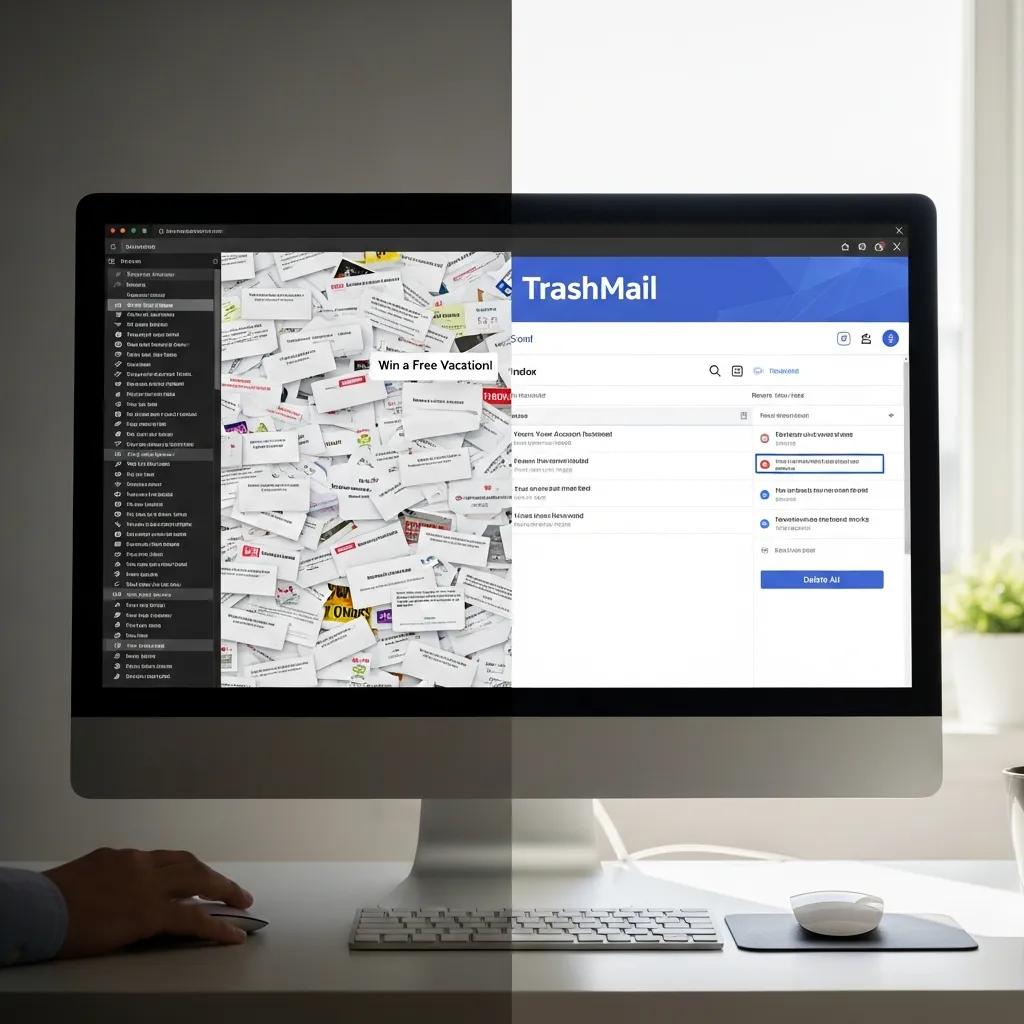
Temporary email is ideal for interactions where permanence, account recovery, or ongoing two‑way communication aren’t required — think one‑off sign‑ups, gated downloads, or short‑term test accounts. In those cases, a disposable address prevents your primary inbox from being added to marketing lists and slows profile growth across ad networks. Developers and QA teams use temporary addresses to validate sign‑up flows without polluting shared mailboxes. For tasks that need long‑term access — banking, health portals, or account recovery — you should use a traditional email account with strong authentication; temporary email complements, it does not replace, those core uses.
Quick reference: common use cases and why a disposable address fits.
Temporary email is best when you want minimal identity exposure and short‑lived correspondence.
- Online sign‑ups for newsletters or trials: Keeps promotional mail out of your main inbox.
- One‑time downloads or gated content: Gives access without creating a persistent contact point.
- Testing and QA environments: Lets teams verify email workflows without cluttering shared mailboxes.
- Short‑term project collaboration: Enables temporary coordination without long‑term address linkage.
Those examples show where disposable addresses reduce nuisance and privacy risk. The next section helps you decide when to use them.
When Should You Use Temporary Email for Online Sign‑ups and Registrations?
Use temporary email for low‑trust sites, optional newsletter sign‑ups, or cases where account recovery isn’t needed — disposable addresses prevent long‑term list inclusion and reduce profiling. Don’t use them for financial, healthcare, or other critical accounts that require password resets or legal notices; losing access can cause lockouts. Practical rules of thumb: pick disposable addresses for optional interactions, use your primary email for critical services with MFA enabled, and use aliases when you want continuity plus the ability to revoke contact later.
Those rules lead directly to simple mechanics for avoiding marketing mail and protecting your identity.
How Does TrashMail Help Avoid Marketing Emails and Protect Online Identity?
TrashMail reduces marketing mail by providing addresses you can revoke or that expire automatically, cutting off the channel marketers use to reach you and stopping further data collection tied to that address. Once a disposable address is disabled, any promotional flows can’t reach your main inbox — an effective defense against automated subscription lists and syndicated marketing databases. Pair this with good privacy habits — minimal profile data during sign‑up and avoiding reuse of identifiers across services — and you shrink the longitudinal profiles advertisers build about you. The result: a cleaner primary inbox and a smaller digital footprint.
Email use, data collection, and research archiving also raise complex privacy questions researchers and archivists must navigate.
Email Privacy vs. Data Access: Research and Archiving Considerations
Email archives are valuable for research but pose privacy risks. Recent work maps the tension between accessibility and privacy, offering frameworks to visualise email data while limiting exposure of personal information. These frameworks help archivists and researchers balance utility with ethical data management.
A survey on email visualisation research to address the conflict between privacy and access, Y Kim, 2022
With those protections and use cases in mind, the next section compares technical differences between temporary and traditional services.
What Technical Differences Exist Between TrashMail and Traditional Email Services?
Key technical differences include encryption standards, server jurisdiction, and sending/receiving capabilities — all of which affect privacy and function. Temporary‑email providers focus on ephemeral storage, forwarding mechanisms, and short log retention to limit data residency. Traditional providers implement persistent storage, advanced search indexing, and broader features like calendars and contact sync.
The table below lists concrete technical attributes so you can evaluate which model fits your needs.
| Service Model | Encryption & Auth | Sending/Receiving Capabilities |
|---|---|---|
| Temporary email (TrashMail) | TLS in transit is common; limited long‑term at‑rest storage | Typically receive/forward only; outbound/send features are limited |
| Traditional email providers | TLS in transit; at‑rest encryption varies by provider; MFA often available | Full SMTP/IMAP/POP access, calendars, contacts, large attachments |
| Privacy‑focused providers | Strong at‑rest encryption, end‑to‑end options, and stricter key management | Full functionality with added encryption controls |
These attributes show temporary email reduces persistence and forwarding risk, while traditional providers offer full functionality at the cost of a larger attack surface.
How Do Encryption Standards and Server Locations Impact Email Security?
TLS protects messages in transit between servers; encryption at rest protects stored messages — both address different risks. Providers that offer strong at‑rest encryption and user‑controlled key management reduce exposure from server‑side breaches, but many still retain keys or plaintext to support search and features. Server location matters: jurisdictional law affects how easily authorities can compel access to data. For temporary‑email services, short retention and minimal logging reduce legal exposure even if servers are in stricter jurisdictions.
What Are the Functional Differences in Sending and Receiving Emails?
Temporary email services typically focus on inbound channels and forwarding, and often restrict outbound sending, attachment sizes, and integrations with calendars or contacts. They’re built to provide ephemeral inbound access rather than a full messaging ecosystem.
Traditional accounts offer two‑way communication (SMTP/IMAP/POP), support large attachments, and integrate with scheduling and contact management — features needed for professional and account‑recovery workflows.
Those trade‑offs explain why hybrid strategies often deliver the best balance between privacy and usability.
How Can Users Maximize Privacy and Security by Combining TrashMail with Traditional Email?
A hybrid workflow keeps the convenience and recovery features of a primary account while using disposable addresses for low‑trust interactions to reduce tracking and spam. Start by reserving your main email for banking, government, and recovery‑critical services with MFA and a password manager. Use TrashMail for optional sign‑ups, testing, and short‑term collaborations. Regularly audit linked services, disable disposable addresses you no longer need, and keep minimal profile data on third‑party sites. This approach combines durability and security for essential tasks with transient anonymity where it helps most.
Follow this step‑by‑step hybrid workflow to get started right away.
- Reserve your primary email for critical accounts: Use it only for banking, government, and recovery services with MFA enabled.
- Use TrashMail for low‑trust sign‑ups: Create disposable addresses for newsletters, trials, and one‑off forms.
- Forward selectively and set TTLs: Allow forwarding for verification, then let addresses expire when you’re done.
- Audit and revoke: Periodically review linked services and disable temporary addresses you no longer need.
- Combine with strong authentication: Use unique passwords and enable multi‑factor authentication on primary accounts.
These steps show how to get the best of both worlds. Below are additional strategies for keeping your email footprint small and secure.
What Strategies Optimize Email Privacy Using Both Temporary and Regular Emails?
Match address type to risk and keep strong hygiene across both: use disposable addresses for ephemeral needs, reserve primary accounts for high‑trust services with MFA, and use aliases when you want continuity but the option to revoke. Pair these choices with a password manager to avoid reuse, enable multi‑factor authentication on long‑lived accounts, and limit personal data in messages. Regularly check inbox rules, third‑party app authorizations, and forwarding settings so temporary addresses stay isolated and primary accounts remain protected. This layered approach minimizes profiling, reduces attack surface, and preserves account recovery paths.
How Does TrashMail Complement Traditional Email Security Measures?
TrashMail serves as a disposable first line that keeps marketing and nonessential communications out of your primary inbox, while traditional accounts provide authentication and recovery capabilities. When disposable addresses handle optional interactions and verifications, your main account stays focused on critical communications protected by MFA. The combined effect is a smaller marketing/profile footprint plus robust defenses against account takeover: temporary email reduces risky inbound volume, and primary providers handle secure two‑way exchanges and long‑term storage.
In short, temporary email offers superior spam control, better anonymity for low‑trust interactions, reduced data collection, and a smaller attack surface — all of which fit into a layered privacy strategy that helps keep your primary inbox cleaner and more secure.