
Discover What Users Say About Trashmail - User Reviews
TrashMail creates disposable email addresses that forward messages to your hidden inbox and expire on your schedule — a simple way to keep your main address free from spam and tracking. This article brings together real user feedback and practical experience to answer whether TrashMail delivers on privacy, spam control, and day-to-day usability. You’ll see how TrashMail’s features behave in real scenarios, which parts users praise or critique, and how the service stacks up against alternatives like Temp Mail and YOPmail. Many users report cleaner inboxes and stronger anonymity when they use disposable aliases for sign-ups; a smaller group notes occasional delivery delays or extra steps from verification. Below we map user views across safety and privacy, feature effectiveness, pros and cons, comparisons, platform experience, and FAQs so you can decide whether a temporary address fits your workflow and privacy needs.
What Do Users Say About Trashmail’s Safety and Privacy?
Users commonly describe TrashMail as a focused privacy layer that reduces exposure of their primary address and, in turn, cuts down on promotional and tracking emails. Reviewers tie this benefit to the forwarding system and expiry controls: an alias forwards to a private inbox, breaking the direct link between services and your real email. Many people report feeling more anonymous when signing up for newsletters, trials, or forums, and several treat TrashMail as one tool in a broader privacy setup. The next section outlines the concrete protections reviewers mention and shares practical tips for getting the most safety from disposable aliases.
How Does Trashmail Protect Your Email Privacy?

TrashMail combines temporary forwarding, configurable expirations, and a challenge-response filter to reduce automated spam before it reaches you. Forwarding conceals your real address behind an alias, expiration settings retire aliases automatically, and the challenge-response step forces unknown senders to prove they’re legitimate — a filter users say blocks many bot-driven messages but can introduce friction for real contacts. Reviewers’ practical tips include using short expirations for one-time sign-ups, enabling challenge-response when you expect unknown senders, and keeping a list of active aliases to avoid accidentally losing access. Together, these controls explain why many users see fewer unwanted messages in their primary accounts.
Is Trashmail Safe to Use? Common User Opinions and Expert Insights
Most reviewers call TrashMail safe for everyday needs like sign-ups, free trials, and throwaway conversations, reporting noticeable spam reduction without exposing personal addresses. Many trust the forwarding-and-expiry model, while a minority raise concerns about deliverability for critical messages or about how disposable services handle retention. From an expert standpoint, disposable-email tools are low-risk privacy aids when used correctly, but they aren’t a replacement for end-to-end encrypted or fully verified channels when you’re sharing sensitive information. Knowing both the strengths and limits helps you choose when an alias is appropriate and when to use stronger, verified communication methods.
What Are the Key Features of Trashmail According to Users?
Reviewers repeatedly highlight a few core features that define TrashMail’s value: challenge-response spam protection, configurable forwarding and expiration, a browser extension for fast alias creation, and an API for developer workflows. These features come up in real-world examples like single-use sign-ups, marketplace communications, and automated testing. Users tend to praise control over alias lifespan and forwarding limits, especially compared with services that only offer ephemeral inboxes without forwarding. Below we look closer at spam protection and forwarding/expiration, followed by a concise table summarizing user-reported attributes and limits.
How Effective Is Trashmail’s Spam Protection?
Users credit the challenge-response system with noticeably reducing automated spam: many bot messages fail verification and never reach the forwarded inbox. Several reviewers report a drop in bulk promotional mail after they started using disposable aliases, often pairing the verification step with short expirations for the best results.
At the same time, reviewers warn that challenge-response can add friction for legitimate senders who must re-verify, which sometimes causes missed or delayed messages. Balancing protection and convenience is a frequent theme, and many suggest toggling challenge-response depending on the use case.
Introductory table explaining forwarding, limits, and user notes.
| Feature | Attribute | User Notes |
|---|---|---|
| Forwarding | Max forwards per alias | Users report practical forwarding limits; aliases are typically used for expected, limited message counts rather than heavy volumes. |
| Expiration controls | Configurable lifespan | Reviewers like short-term expiry for one-off sign-ups and warn about misconfigurations that can close needed aliases early. |
| Challenge-response | Verification requirement | Blocks many bot messages; some legitimate emails require manual verification, which can be inconvenient. |
What Do Users Think About Trashmail’s Email Forwarding and Expiration Controls?
Reviewers often point to forwarding and expiration as TrashMail’s practical strengths because these controls make alias lifecycles predictable and simplify inbox hygiene. Many set short expirations for throwaway addresses and longer windows when expecting follow-ups, noting that predictable expiry reduces long-term exposure to trackers and retargeting. Deliverability remains a common concern: forwarded messages occasionally land in spam or arrive late, so experienced users recommend monitoring important forwards or offering an alternate contact for critical transactions. Tips include documenting active aliases and confirming key senders right after initial contact to prevent lost messages while maintaining privacy.
What Are the Pros and Cons of Using Trashmail?
Across reviews, users sum up TrashMail as a trade-off: stronger privacy and cleaner inboxes versus occasional operational friction. Positive themes focus on privacy gains, less clutter, and fast alias creation; negatives center on deliverability edge cases, verification friction, and fewer advanced features compared to some paid competitors. Seeing these outcomes linked to tangible attributes helps readers decide whether TrashMail matches their personal or professional needs. Below are user-noted advantages and a table framing common limitations.
What Advantages Do Customers Highlight About Trashmail?
Users frequently list three practical benefits that drive satisfaction: immediate privacy improvements, reduced clutter in primary inboxes, and simple alias creation that fits into everyday browsing. Many praise disposable addresses for letting them sign up without giving long-term access to their main email, which cuts marketing and tracking vectors. Power users call out the browser extension and API as time-savers for repetitive tasks, while casual users appreciate the straightforward expire-and-forget approach. These strengths make TrashMail useful for privacy-minded individuals and professionals who handle many short-term communications.
Pros EAV table explaining feature outcomes.
| Feature | Attribute | User-reported Outcome |
|---|---|---|
| Challenge-response | Effectiveness | Reduces automated spam but can require manual verification from legitimate senders. |
| Expiration controls | Reliability | Automatically retires aliases to lower long-term exposure; occasional timing issues reported. |
| Browser extension / API | Convenience | Speeds alias creation for casual and developer users; praised for workflow automation. |
What Common Drawbacks or Issues Do Users Report?
Users most often report three recurring issues: occasional deliverability problems for forwarded mail, friction caused by challenge-response verification, and feature gaps compared with some premium or developer-focused alternatives. Deliverability problems show up as delayed forwards or messages routed to spam folders, prompting users to double-check important transactions via a verified primary channel. Challenge-response, while effective against bots, sometimes blocks legitimate messages until manual verification, which frustrates people expecting seamless communication. Finally, some users note that niche features—like advanced customization or enterprise SLAs—are limited or unavailable, so those needs may require a different provider.
How Does Trashmail Compare to Other Temporary Email Services?
When compared to Temp Mail, YOPmail, Mailinator, and Guerrilla Mail, a pattern appears: TrashMail is favored for controlled forwarding and privacy features, while competitors may win on instant ephemeral addresses or developer-focused APIs. TrashMail’s challenge-response filtering and forwarding limits come up as differentiators that balance anonymity with reliable delivery into a personal inbox. Users who need pure, instant anonymity sometimes pick alternatives for speed, but those wanting controlled forwarding and expiry management often stick with TrashMail. The compact comparison table below summarizes perceived strengths across these services.
What Do Users Say About Trashmail Versus Competitors Like Temp Mail and YOPmail?
Reviewers comparing services typically rank them by use case: TrashMail for privacy with forwarding and control; Temp Mail for instant ephemeral inboxes and mobile convenience; YOPmail for zero-setup disposable addresses. These differences reflect user priorities more than absolute technical superiority—some trade forwarding for instant anonymity, others accept verification steps for a stable route to their primary inbox. Many users conclude that no single provider fits every need, and that TrashMail’s combination of features is especially useful when you want longer-term but controlled communication. The next section recommends alternatives by user type to help you choose.
Comparison EAV table summarizing feature presence.
| Service | Feature | Presence / Strength |
|---|---|---|
| TrashMail | Forwarding & Expiration | Strong — users value configurable lifespan and forwarding controls. |
| Temp Mail | Instant ephemeral inbox | Strong — users highlight mobile apps and quick access for throwaway use. |
| YOPmail | Zero-setup disposable addresses | Moderate — favored for immediacy but lacks advanced forwarding features. |
Which Alternatives Do Customers Recommend and Why?
Recommendations vary by scenario: developers often prefer Mailinator or API-first providers for automated testing, privacy-focused users favor TrashMail for controlled forwarding, and users who want the fastest throwaway address choose YOPmail or Guerrilla Mail. These choices reflect a balance between convenience and feature needs—developers prioritize API stability, privacy-minded users prioritize forwarding and expiry controls, and casual users prefer the least friction. Reviewers also share migration tips: export important threads before retiring an alias and use a short-lived alias for initial verification to avoid losing access during a switch. Those practical steps come from hands-on experience across services.
How Do Users Rate Trashmail’s Ease of Use and Mobile Experience?
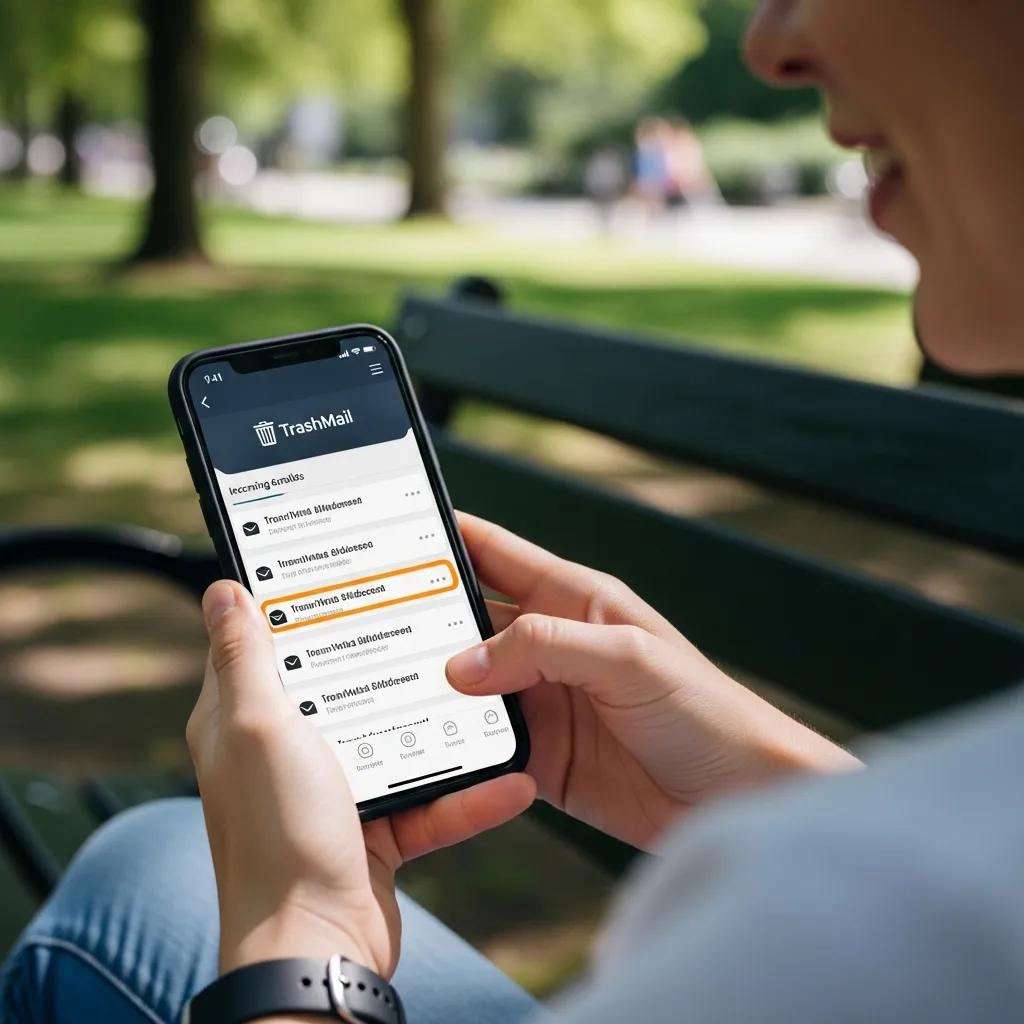
Feedback on usability splits into two main groups: casual users who value fast alias creation via the web or browser extension, and power users who rely on the API for automation. Many praise the browser extension for creating aliases without leaving the current tab, which cuts down on copy‑paste and context switching. Mobile reviews are mixed: responsive web pages cover most needs, but some users wish for native apps with push notifications and more refined inbox tools. The sections that follow look at extension and API experiences and common mobile workarounds.
What Is the User Experience With Trashmail’s Browser Extension and API?
Users describe the browser extension as a low-friction way to generate aliases from your browsing session, increasing adoption for one-off sign-ups and reducing mistakes. Developers find the API useful for testing and automation, noting that programmatic alias creation and setting expiration/forwarding parameters via endpoints speeds workflows. Common caveats include occasional rate limits or usage constraints that require planning for high-volume needs, and the importance of reading docs carefully when integrating into CI/CD. Overall, both the extension and API are valued additions that serve different user segments.
How Do Customers Review the Trashmail Mobile App and Cross-Platform Access?
Users say cross-platform access works well via the web interface and browser extension, though some wish for a dedicated native mobile app for push notifications and smoother inbox management. Mobile users note that responsive design handles most tasks but can feel clumsy for heavy alias monitoring or when managing many active forwards. Suggested workarounds include forwarding important notifications to a primary account or using the API for scripted checks that surface critical messages. These approaches help keep workflows consistent across devices despite limited mobile-native tooling.
Frequently Asked Questions
What types of users benefit most from TrashMail?
TrashMail is particularly beneficial for privacy-conscious individuals, casual users who want to avoid spam, and professionals needing temporary communication channels. Privacy-focused users appreciate the ability to create disposable addresses that shield their primary email from marketing and tracking. Casual users enjoy the simplicity of generating aliases for one-off sign-ups, while professionals, such as developers, find value in the API for automating tasks. Each user group can tailor their experience based on their specific needs, making TrashMail versatile for various scenarios.
Are there any limitations to using TrashMail for important communications?
While TrashMail is effective for reducing spam and maintaining privacy, it may not be ideal for critical communications. Users have reported occasional deliverability issues, where important messages can be delayed or end up in spam folders. Additionally, the challenge-response feature can create friction for legitimate senders, potentially causing missed communications. For sensitive or time-sensitive matters, users are advised to use a verified primary email address alongside TrashMail to ensure reliable delivery and communication.
How does TrashMail handle user data and privacy?
TrashMail emphasizes user privacy by not retaining personal data linked to disposable email addresses. The service operates on a model where aliases are created and expire based on user-defined settings, minimizing long-term data retention. However, users should be aware that while TrashMail does not store personal information, the nature of disposable emails means that any correspondence sent to these addresses may not be recoverable once the alias expires. Users are encouraged to manage their aliases carefully to avoid losing important communications.
Can TrashMail be used for business purposes?
Yes, TrashMail can be utilized for business purposes, especially for temporary communications, project sign-ups, or testing environments. Businesses can benefit from the privacy and spam reduction features, allowing them to engage with clients or partners without exposing their primary email addresses. However, companies should consider the potential limitations, such as deliverability issues and the lack of advanced features compared to dedicated business email solutions. For ongoing client relationships, a more permanent email solution may be advisable.
What should users do if they experience issues with TrashMail?
If users encounter issues with TrashMail, such as delayed emails or problems with the challenge-response feature, they should first check their alias settings and ensure they are configured correctly. Users can also consult the TrashMail support resources or community forums for troubleshooting tips. If problems persist, providing feedback to the TrashMail team can help improve the service. Additionally, users may want to consider using alternative disposable email services for specific needs if issues are recurrent.
Is there a limit to how many aliases a user can create?
TrashMail does not impose a strict limit on the number of aliases a user can create, allowing for flexibility in managing disposable email addresses. However, users should be mindful of the practical aspects, such as tracking and managing multiple aliases effectively. Some users recommend keeping a list of active aliases to avoid confusion and ensure that important communications are not missed. This approach helps maintain organization and efficiency when using multiple disposable addresses.
How Long Do Trashmail Addresses Last According to Users?
Addresses last exactly as long as you set them to. Common practice is short-lived aliases for one-time sign-ups and longer lifespans when you expect follow-up messages — ranges users commonly choose run from a single day up to several weeks. Reviewers stress that expiry is determined at creation, and some automate expirations via the API to ensure predictable cleanup. A few report mismatches when aliases weren’t tracked correctly, so users recommend documenting and testing important aliases when you create them.
Can You Send Emails Using Trashmail?
Most users say TrashMail is built for receiving and forwarding to a real inbox rather than for sending outbound mail from disposable aliases. Those who needed outbound sending paired TrashMail with other mail tools or used separate APIs for testing, but they note that TrashMail’s strength is anonymized reception and forwarding rather than a full SMTP sending platform. If your workflow requires outbound sending from an alias, reviewers suggest combining TrashMail with a dedicated sending service or choosing a provider with explicit outbound support.
When deciding whether TrashMail fits your needs, match the feature trade-offs to your priorities — privacy control and reduced spam versus possible verification friction and occasional forwarding edge cases. If you value configurable expirations, forwarding limits, and an optional challenge-response filter, TrashMail aligns well with those goals and consistently earns positive user feedback for those features. If you test it, consider sharing your experience so other users can learn from real-world usage.
For a hands-on trial, create a single disposable alias to test forwarding, expiry, and challenge-response in a low-risk scenario. If TrashMail suits your workflow, add a short review to help others set realistic expectations.