How to Ensure Your Trashmail Avoids Spam Filters Effectively
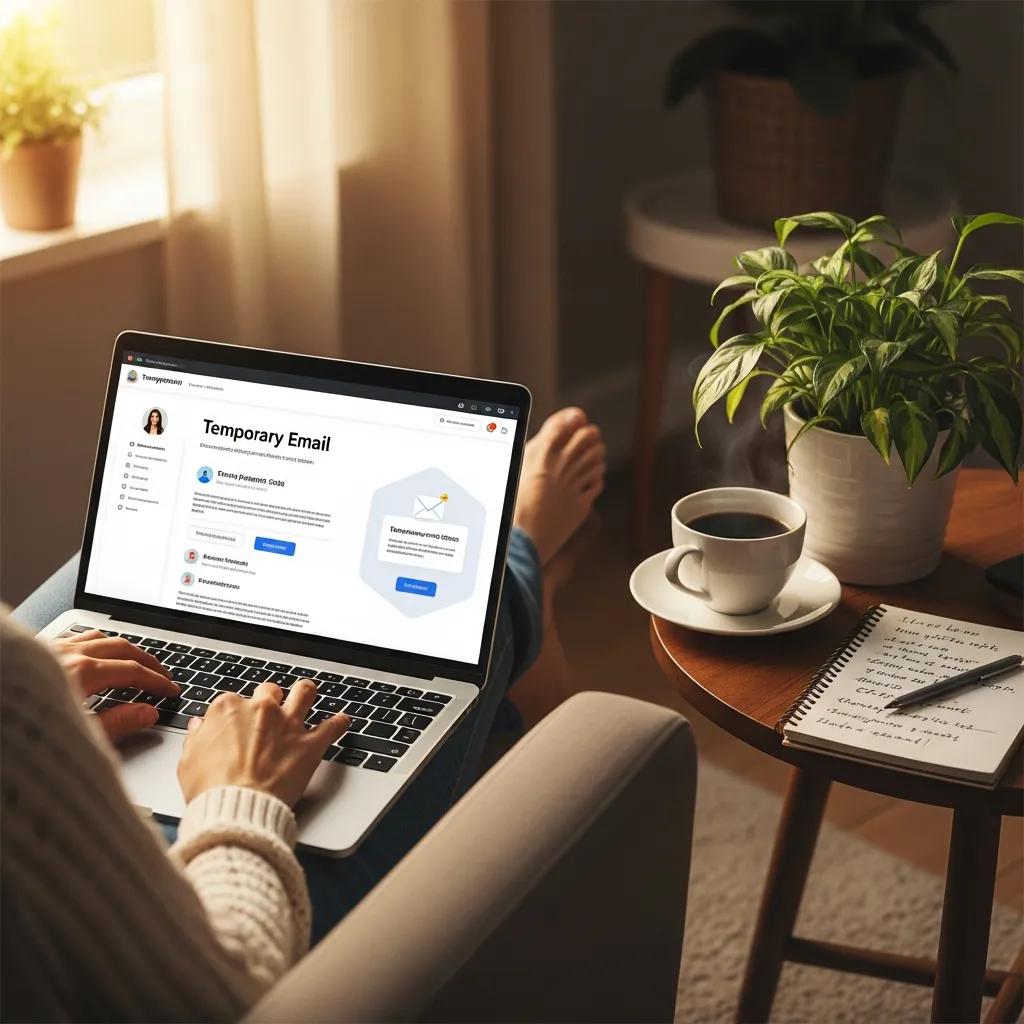
Temporary or disposable email — often called TrashMail — is a quick and effective way to protect your privacy and keep your main inbox tidy. But in 2025, mailbox providers are tightening anti-spam controls, and deliverability for disposable addresses is getting harder. This guide explains why temporary addresses attract more spam flags, how authentication and monitoring build trust, and which content and sending practices cut false positives. You’ll get clear, practical steps for providers (authentication, IP and domain hygiene), for users (list and content tactics), and for recovery (monitoring tools and incident response). Each section breaks down the issue, shows what to do, and includes quick-reference tables and checklists you can use right away. We also point out how TrashMail balances privacy with anti-abuse measures to keep legitimate messages flowing.
Why do temporary emails like TrashMail get flagged as spam?
Disposable addresses are more likely to trigger filters because their sender signals are weaker, their usage patterns can look risky, and engagement metrics often fall short. Spam filters score mail using sender reputation, authentication results, engagement, and content signals — and disposable addresses can generate higher bounce and complaint rates that lower reputation. Knowing these root causes helps both users and providers change the signals ISPs rely on. The following sections explain how sender reputation and temporary-email behaviors feed filtering decisions and what those signals mean in practice.
How do spam filters and sender reputation affect temporary email deliverability?
Sender reputation is an aggregate of signals — IP reputation, sending-domain history, complaint and bounce rates, and engagement — used to predict whether future messages are wanted or malicious. Filters apply thresholds for complaints and hard bounces and may throttle or divert traffic that crosses those limits; sustained high complaint rates typically trigger automated penalties or placement in spam folders. Reputation is time-weighted: steady good behavior rebuilds trust, while sudden abusive spikes are penalized faster than gradual recovery. Knowing how reputation is scored shows why authentication and consistent sending practices are essential to stop TrashMail addresses being treated as spam and why provider-side controls matter.
What unique challenges do temporary email services face in avoiding spam flags?
Temporary-email providers face specific pressures: rapid address churn, shared IP pools, and higher abuse risk from anonymous users all produce atypical metrics that filters view as risky. Expiring addresses raise bounce counts, and shared IPs mean one bad actor can hurt the whole pool. Providers must therefore use rate limits, automated abuse detection, and segmented IP/domain assignments to isolate abusers and protect reputation. These structural realities explain why provider policies and monitoring are vital complements to user best practices.
How can email authentication protocols improve TrashMail deliverability?
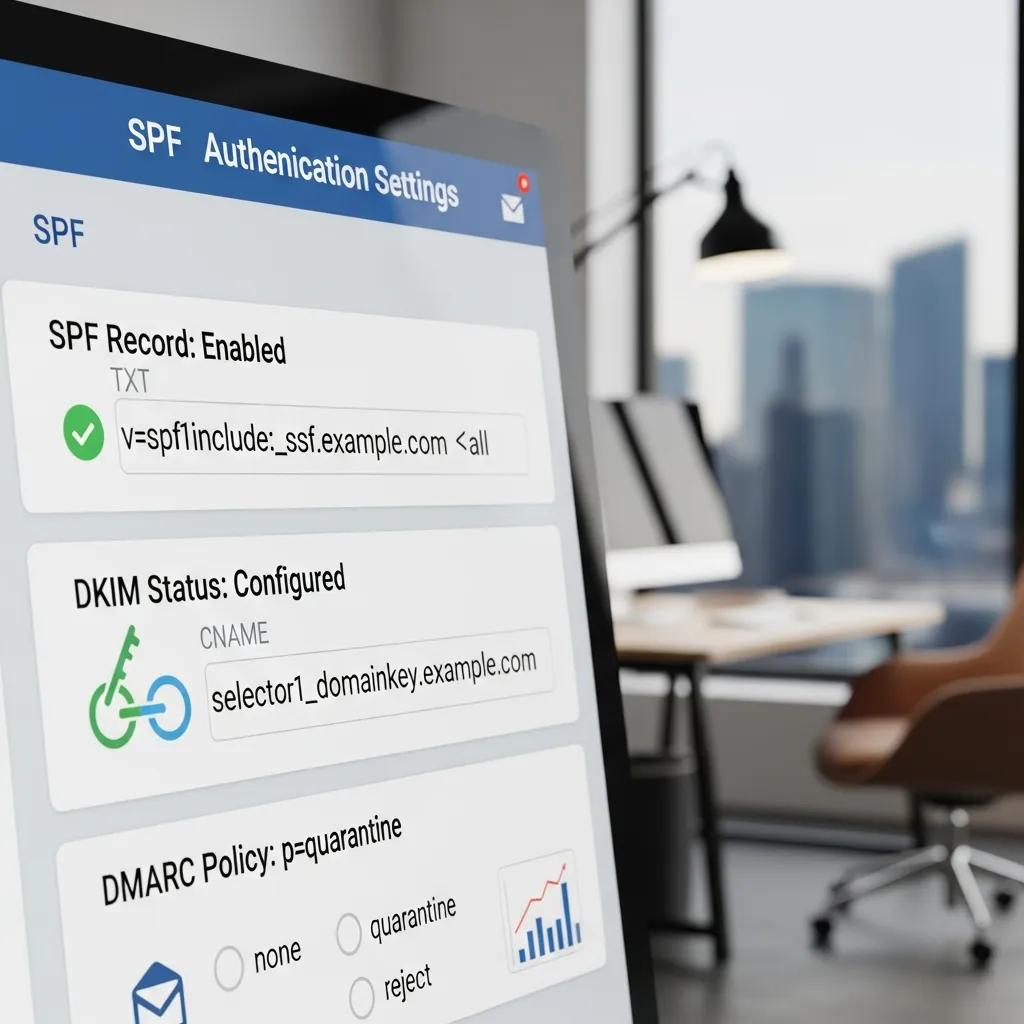
Authentication standards — SPF, DKIM and DMARC — cut spoofing and give mailbox providers verifiable identity signals that improve inbox placement for temporary domains. Set up properly, these DNS-based records show which servers may send, attach cryptographic signatures to messages, and tell receivers how to treat unauthenticated mail and where to send reports. For providers and users of temporary email, authentication is a baseline: it reduces filter suspicion and generates reports you can act on. The table below compares each protocol, shows short DNS examples, and summarizes how they affect deliverability so you can prioritize implementation.
The following table summarizes the three core authentication protocols and their practical role for temporary email deliverability.
| Protocol | What It Verifies | Example DNS Entry |
|---|---|---|
| SPF | That the sending IP is authorized to send for the domain | v=spf1 include:mail.example.net -all |
| DKIM | That the message headers/body match a cryptographic signature | default._domainkey TXT "k=rsa; p=PUBLICKEY" |
| DMARC | Policy for failures and where to send aggregate/forensic reports | v=DMARC1; p=none; rua=mailto:[email protected] |
SPF and DKIM provide the raw authentication checks; DMARC ties results to a policy and reporting channel. Together they form the strongest deliverability signal when configured correctly.
What are SPF, DKIM, and DMARC and how do they protect your TrashMail?
SPF confirms which IPs may send for a domain, preventing simple IP spoofing. DKIM adds a signature that shows message headers and body weren’t altered in transit, which helps stop header forgery. DMARC links SPF and DKIM outcomes to a published policy and tells receivers how to handle failures while delivering reports that expose problems. These three build a chain of trust: SPF and DKIM provide verification, DMARC enables policy and reporting, and mailbox providers use the combined results when deciding inbox placement. Implementing them reduces the chance a temporary address will be seen as a forgery or spam source and sets you up for ongoing monitoring.
The DMARC protocol, alongside SPF and DKIM, is a cornerstone for reducing spoofing and improving email security.
Enhancing email security with DMARC and DNS data
Email is central to personal and business life, so attackers focus on it for phishing, spoofing and other scams. Research and practical tooling show DMARC plus DNS data can cut the impact of phishing and make attacks harder to pull off. The motivation is real: many people lose money or data to email scams. Using DMARC reporting, careful DNS configuration and logging lets domain owners see abuse, adjust records, and reduce risk to their organization. These measures make email ecosystems safer for everyone.
Enhancing the security of an E-mail by DMARC and DNS data, 2021
How to implement email authentication for temporary email domains?
For temporary domains, authentication means publishing concise, correct DNS records, rotating DKIM keys responsibly, and starting DMARC in monitoring mode before enforcing rejects. Begin with an SPF TXT record that lists only the needed outbound systems (avoid overly permissive rules); publish a DKIM selector for each sending cluster and keep keys secure; set DMARC to p=none at first to collect reports and tune settings. If you manage many short-lived domains, consider grouping them under authenticated subdomains or separating IP pools by use case to simplify DNS and reduce risk. Verify your changes with receiver tools and parse DMARC reports to iteratively fix problems without disrupting legitimate traffic.
What content and engagement strategies help prevent TrashMail from going to spam?

Filters pay close attention to content and recipient behavior. Well-written subject lines, clear opt-in language and relevant body copy lead to better engagement and lower spam scores. Good content practices include honest sender IDs, useful preview text, balanced text-to-image ratios and consistent link domains — all of which reduce heuristic triggers. Engagement (opens, clicks, replies) feeds reputation models and proves recipients value the mail, so design messages that invite interaction and avoid deceptive tactics. The sections below cover subject-line craft and concrete ways to increase engagement to nudge ISP signals in your favor.
The following list explains common content attributes that influence filter scoring and user response.
- Clear sender name and subject: A consistent identity reduces confusion and complaint risk.
- Relevant, permission-based messaging: Emails tied to explicit user actions get higher open and click rates.
- Link hygiene and domain consistency: Minimize URL shorteners and third-party domains that can trigger link scanning.
Follow these practices and you should see better engagement and fewer automatic spam flags — which is why measuring engagement matters next.
How should you craft subject lines and email content for better deliverability?
Keep subject lines accurate, concise and free of spammy punctuation or unrealistic promises. Make preview text and body copy match what users expect and include a clear call to action. Avoid trigger words that raise heuristic scores and don’t use misleading tactics that lead to complaints. Thoughtful personalization helps when it’s relevant. Maintain a healthy text-to-image ratio, use fully qualified links that align with the sending domain, and show a visible, working unsubscribe option to reduce frustration. Consistent, transparent messaging increases opens and clicks — which signals to ISPs that recipients want your mail, lowering the chance it’s marked as spam.
How does user engagement influence TrashMail’s sender reputation?
Engagement metrics — opens, clicks, replies and deletes without reading — are inputs to ISP reputation models and directly affect inbox placement. Positive interactions boost trust and improve delivery; sustained low engagement or spikes in deletions and complaints cause filters to lower priority or block mail. To lift engagement, focus on relevance, timing and progressive profiling so messages match user intent. For temporary-email use cases, prompt a quick confirmation or short two-way interaction to establish immediate value. Tracking these metrics and iterating your content creates a feedback loop that strengthens reputation over time.
Which monitoring and troubleshooting tools can maintain TrashMail’s deliverability?
Continuous monitoring is essential: operators need visibility into reputation, complaints and delivery failures to react fast. Google Postmaster Tools and Microsoft SNDS provide ISP telemetry; third-party services report blocklist status and run deliverability tests. Use these tools to isolate causes — authentication errors, abusive senders, or content issues — then apply containment steps like suspending addresses or rotating IPs. The table below compares key monitoring services, what they expose, and how a hands-on team would use that data to restore or maintain deliverability.
The following table maps popular monitoring tools to the metrics they report and the concrete next steps a temporary-email provider would take when issues arise.
| Tool | Metric Monitored | How It Helps (Actionable Next Step) |
|---|---|---|
| Google Postmaster Tools | Domain reputation, SPF/DKIM/DMARC results | Review DMARC data and adjust DNS or sending sources |
| Microsoft SNDS | IP-level reputation and traffic volume | Spot problematic IPs, move traffic or apply rate limits |
| SenderScore.org | Overall IP reputation score | Use trends to plan IP warming or pool segmentation |
| GlockApps / Mail-Tester | Inbox placement and filter triggers | Test content and auth before broad sends |
What tools help track sender reputation and spam complaints for temporary emails?
Google Postmaster Tools and Microsoft SNDS deliver ISP-level telemetry that shows reputation signals and delivery outcomes for domains and IPs, letting you target investigations. SenderScore and reputation dashboards give a third-party view of IP trust over time, while deliverability platforms can simulate inbox placement and flag content triggers before you scale mail. Parsing DMARC aggregate reports turns raw data into lists of failing sources, and feeding those results into an incident-response workflow lets providers quickly suspend or remediate offenders. Centralizing these signals speeds root-cause analysis and shortens the time mail stays blocked.
DMARC is designed to prevent spoofing, but misunderstandings about how it works can slow adoption and blunt its benefits.
DMARC protocol: clarity, adoption and practical impact
When DMARC first gained attention, it was published as an informational specification rather than a strict Internet standard. Its goal is to reduce email spoofing on top of SPF and DKIM, while providing reporting so domain owners can see rejected or suspicious messages. Research has explored DMARC’s adoption, misuse and integration with early spam detection systems, and has identified gaps in comprehension among practitioners, libraries and domain owners. Measuring adoption and building better tools to parse DMARC records and reports will help organizations adopt the protocol more effectively and improve email security overall.
Spoofed Emails: An Analysis of the Issues Hindering a Larger Deployment of DMARC, O Hureau, 2024
How should you respond to spam complaints and blocklist issues?
Respond with a clear, step-by-step incident plan: first contain the problem by isolating offending addresses or IPs, suspend or throttle traffic, and stop any automated flows causing complaints. Then run root-cause analysis — check authentication, parse bounce codes and review content — to decide fixes like updating DNS records, removing abusive accounts or changing sending patterns. Communicate with blocklist operators or mailbox providers when needed, provide evidence of remediation, and monitor re-delivery closely to confirm recovery. Finally, harden prevention controls — rate limits, abuse-detection rules and reporting endpoints — to reduce the chance of recurrence and rebuild reputation over time.
How does TrashMail ensure your temporary emails reach the inbox?
TrashMail combines authentication hygiene, monitoring and abuse controls to reduce spam flags while protecting user privacy and instant disposable addresses. Technically, provider domains and sending clusters use SPF and DKIM and are monitored through DMARC reports; IP and domain pools are managed to limit collateral damage from abusers. Operationally, TrashMail runs automated abuse detection, rate-limits and suspends suspicious accounts, and watches postmaster telemetry for early warning signs. Together, these measures reduce the noisy signals that trigger spam filters and explain how a well-run temporary-email service can still deliver legitimate notifications reliably.
What technical and strategic measures does TrashMail use to maintain high deliverability?
TrashMail focuses on DNS and authentication hygiene by publishing correct SPF/DKIM records and collecting DMARC reports to spot misconfigurations. The service segments sending by purpose and applies rate limits plus automated abuse detection so a single account can’t ruin a shared IP’s reputation. TrashMail also monitors reputation dashboards and blocklists and responds quickly with containment and remediation. These controls balance the privacy promise with the operational need to keep mailbox providers trusting our traffic and to minimize false-positive spam classification.
How is TrashMail future-proofing temporary email deliverability against new ISP rules?
To keep up with ISP changes, TrashMail tracks postmaster guidance and adopts emerging standards — for example, stricter DMARC enforcement and improved reporting. The team tests configuration changes in controlled ways, uses telemetry to model how policy shifts affect short-lived domains, and refines abuse controls to reduce misuse without blocking legitimate temporary uses. By combining transparent authentication, proactive monitoring and targeted operational rules, TrashMail stays ready to adapt to mailbox-provider expectations and preserve inbox access for valid transactional or confirmation messages.
What are best practices to avoid spam flags when using TrashMail?
Avoiding spam flags takes both provider controls and user responsibility: validate addresses, confirm opt-ins, throttle sending and write honest content that invites engagement. Providers and users should focus on list hygiene, avoid purchased lists, and use progressive engagement to prune inactive addresses that inflate bounces. The short checklist below collects the most effective, practical steps for temporary-email scenarios so you can apply them immediately.
- Validate and confirm: Verify addresses before sending and require explicit opt-in to cut bounces and complaints.
- Throttle and randomize: Spread sends over time to avoid bursts that trigger rate-based filters.
- Monitor and prune: Remove inactive addresses and stop sending to high-bounce segments.
Following these steps lowers the risk signals that lead to spam flags and ties directly into the monitoring and remediation workflows covered earlier.
The table below is a quick reference pairing each best practice with why it matters and a recommended action you can implement today.
| Practice | Why it Matters | Recommended Action |
|---|---|---|
| List hygiene | High bounce and complaint rates harm reputation | Validate addresses and remove invalid entries on a regular cadence |
| Rate limiting | Burst sends trigger ISP throttling | Set per-IP and per-domain send caps |
| Clear opt-in | Reduces complaints and boosts engagement | Use double opt-in or explicit consent flows |
How can list hygiene and sending practices reduce spam risks for temporary emails?
Good list hygiene lowers false positives by cutting bounces and complaints — both key inputs to reputation scoring — through validation, opt-in confirmation and regular pruning. For temporary-email workflows, avoid reusing addresses for bulk messaging, keep send rates conservative, and randomize timing across IPs to avoid detectable patterns. Track metrics like bounce rate, complaint rate and engagement trends, and use automated rules to quarantine segments that exceed safe thresholds. These steps protect sender reputation, lower blocklist risk and speed recovery if issues occur.
What are common mistakes that cause temporary emails to be flagged as spam?
Typical errors include skipping domain authentication, using misleading or spammy subject lines, sending to purchased or stale lists, and ignoring complaint and bounce reports. Each mistake raises the chance filters classify mail as unwanted and accelerates reputation decay for shared sending resources. Fixes are straightforward: publish SPF/DKIM/DMARC, write honest subject lines, validate lists before sending, and subscribe to monitoring feeds so you can react quickly to complaints. Correcting these issues restores trust signals and reduces the chance of future spam classification.
Frequently Asked Questions
What are the benefits of using TrashMail for temporary email needs?
TrashMail offers several advantages for users seeking temporary email solutions. It helps maintain privacy by allowing users to create disposable addresses that can be used for one-time registrations or communications without revealing their primary email. This reduces spam in the main inbox and protects personal information. Additionally, TrashMail can help users avoid unwanted marketing emails and phishing attempts, making it a practical choice for those who value online privacy and security.
How can users improve their experience with TrashMail?
To enhance the TrashMail experience, users should ensure they are using unique and relevant subject lines that reflect the content of their emails. Engaging with the emails they receive, such as clicking links or replying, can also improve sender reputation and reduce the likelihood of future emails being flagged as spam. Furthermore, users should regularly monitor their TrashMail accounts and delete any unnecessary or outdated addresses to maintain a clean and efficient email environment.
What should users do if their TrashMail emails are still being flagged as spam?
If TrashMail emails are being flagged as spam, users should first check their email content for any elements that might trigger spam filters, such as excessive links or spammy language. They can also review their sending practices, ensuring they are not sending too many emails in a short period. If issues persist, users may consider reaching out to TrashMail support for assistance or using alternative temporary email services that may have different reputational standings with ISPs.
Are there any limitations to using TrashMail?
While TrashMail is a useful tool for temporary email needs, it does have limitations. For instance, some websites may block disposable email addresses, preventing users from completing registrations or verifications. Additionally, because these addresses are temporary, users may lose access to important communications if they do not check their TrashMail inbox regularly. Lastly, the reliance on shared IPs can sometimes lead to deliverability issues if other users engage in abusive practices.
How does TrashMail handle user privacy and data security?
TrashMail prioritizes user privacy and data security by not storing personal information linked to the temporary email addresses created. The service employs encryption and secure protocols to protect user data during transmission. Additionally, TrashMail regularly monitors for abuse and implements measures to prevent unauthorized access to accounts. Users are encouraged to avoid sharing sensitive information through temporary emails to further enhance their security.
Can TrashMail be used for business purposes?
Yes, TrashMail can be utilized for business purposes, particularly for temporary projects or communications that require anonymity. It is useful for signing up for services without exposing a primary business email. However, businesses should be cautious about using temporary emails for critical communications, as they may miss important messages or notifications. For ongoing business interactions, a more permanent email solution is recommended to ensure reliability and continuity.
What are the best practices for using TrashMail effectively?
To use TrashMail effectively, users should create unique addresses for different purposes, such as online shopping or newsletters, to keep their communications organized. Regularly checking and deleting old addresses can help maintain a tidy inbox. Users should also ensure they are engaging with the emails they receive to improve sender reputation. Lastly, being mindful of the content they send and avoiding spammy language can help reduce the chances of their emails being flagged as spam.