
Top 10 Ways Your Email Gets Tracked - Email Privacy Tips
Email tracking covers the tools and techniques senders use to see how recipients interact with messages — from simple “open” counters to cross-platform fingerprinting that can reveal approximate location and device details. Those signals — open times, clicks, IP-derived location, and header metadata — feed profiling systems used for marketing and sales, and in the wrong hands they enable targeted phishing or surveillance. This guide breaks down the top ten tracking methods, explains what each one collects, and gives practical, client-specific defenses that keep email privacy and digital safety front and center. You’ll learn how tracking pixels and redirect links work, how headers and IP logs leak information, and which settings, tools, and workflows help stop or reduce these signals. The article also maps detection techniques, compares common defenses, and reviews 2024 trends like AI-driven tracking and new provider privacy features so you can choose the right mix of aliases, VPNs, and extensions. Keep reading to spot trackers, inspect headers, and take concrete steps to block email telemetry without disrupting your daily routine.
What is email tracking and how does it work?
Email tracking is the practice of embedding resources or using metadata to record how recipients interact with messages. At its core, it turns an action — opening a message, clicking a link — into a network request or log entry the sender can record. Common mechanisms rely on remote resources (images, links) or client features (receipts) that force your mail client or browser to contact a server and transmit data such as timestamps, user-agent strings, and IP addresses. That telemetry lets senders measure opens, clicks, device types, and inferred locations so they can optimize campaigns or, in malicious cases, refine targeting. Knowing these basic mechanics helps you spot tracking vectors and pick the right protections — disabling remote images, inspecting links, or using privacy-focused services that redact identifying metadata.
What are the common email tracking methods?
The methods vary but follow a single pattern: cause the recipient’s environment to make a network call that reveals data. Typical examples include tracking pixels (tiny images), tracking links (redirects and URL tokens), read receipts (client-driven confirmations), and device fingerprinting that aggregates header and rendering traits. Each method balances stealth, data richness, and complexity: pixels are simple and effective for measuring opens, while fingerprinting and CRM stitching enable persistent, cross-message profiling. Recognizing the patterns — remote image loads, odd redirect domains, or unusual header fields — lets you detect tracking without specialized tools and decide whether to block images, preview links, or examine headers for sending infrastructure.
Why do marketers and spammers track your email?
Both marketers and spammers track email to measure engagement, segment audiences, and refine messages, but their aims and safeguards differ. Legitimate marketers use analytics for optimization, A/B testing, and consent-based personalization. Spammers and malicious actors use the same signals to validate addresses, craft targeted phishing, or sell enriched profiles. Research shows tracking signals substantially increase outreach ROI by enabling well-timed follow-ups and content tuning, which is why tracking persists despite privacy concerns. Telling benign analytics apart from harmful surveillance means checking sender identity, spotting third-party tracking domains, and noting what data is collected. As a rule, treat unexpected trackers as a risk and apply sensible mitigations.
What are the top 10 ways your email gets tracked online?
Below are the top ten tracking methods with concise technical notes on how each works, what data it collects, how to detect it, and quick prevention tips. The list covers passive methods like pixels and active techniques like read receipts and CRM stitching, giving you a practical picture of each threat model. Each H3 that follows explains one vector and how to triage protections based on the data at risk. After the descriptions you’ll find a compact comparison table for quick reference.
How do tracking pixels monitor email opens?
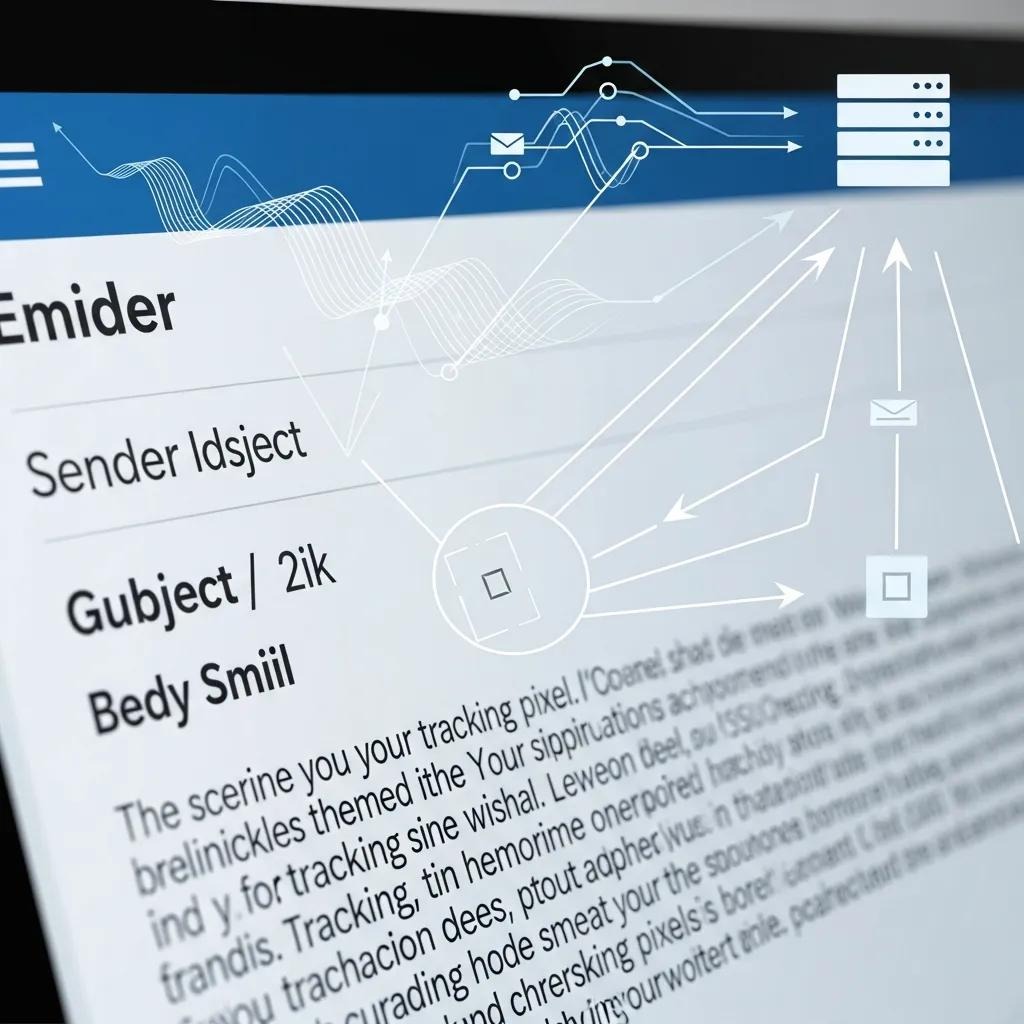
Tracking pixels are tiny remote images (often 1×1) that trigger an HTTP(S) request when your email client loads images. That request usually reveals your IP address, a timestamp, and your user-agent string, and many pixel URLs include unique identifiers that tie an open back to a specific address. Detection is simple when images load automatically or when the client logs external requests; blocking remote images or using image-proxying stops the server call and prevents direct IP exposure. To neutralize pixel-based tracking, disable automatic image loading in your client or use extensions and services that proxy or cache images and strip identifiers before content reaches the sender.
How does link tracking collect click data?
Link tracking replaces direct destination URLs with tracking URLs or redirects that log clicks before forwarding you to the final page. Tracking links often use UTM parameters, shorteners, or CRM identifiers embedded in redirect chains. The flow (you click → tracking domain logs identifiers and metadata → you’re forwarded) captures click times, referrer context, and link-specific IDs that can stitch behavior across campaigns. Detect link tracking by previewing targets (hover to reveal redirects or odd domains) and inspecting parameters for tokens. To avoid tracking, copy links into a text editor, use privacy extensions that show final destinations or strip tracking parameters, or open links in a private browser window.
What information can email headers reveal?
Email headers hold structured metadata — Received, Message-ID, Return-Path, and authentication results — that reveal routing, sending servers, and occasionally originating IP addresses. Reading a Received line can show the mail servers that handled the message and, in some setups, the client IP used to submit mail; Message-ID patterns and Return-Path values can signal third-party mailing services or CRM usage. Some providers hide client IPs by submitting via provider relays, but headers still expose infrastructure signals useful for linking messages. To spot header leakage, view raw headers and look for unexpected relay hosts or nonstandard Message-ID formats; if header anonymity matters, choose providers that minimize exposure of user IPs.
The metadata in email headers can unintentionally disclose sensitive details about sender infrastructure and message routing.
Email header leakage: how metadata can expose information
ABSTRACT: Email is the most common communication channel today — business traffic alone reaches roughly 100 billion messages daily. Historically, attention has focused on protecting incoming mail from malicious content and data theft, but outgoing messages can also leak sensitive information. This paper examines how metadata in email headers can reveal organizational details and other exposures, even in otherwise blank messages. Through a user-based experiment, the authors show a measurable level of information leakage in headers and highlight the privacy implications for both individuals and organizations.
Investigating the leakage of sensitive personal and organisational information in email headers, JRC Nurse, 2015
How is your IP address logged through email?
Your IP address can be exposed when your client directly loads remote resources (images, fonts) or when you click links without a privacy-preserving intermediary. That IP maps to an approximate geolocation and ISP. Image loads and direct HTTP requests reveal the client IP to the server hosting the content, while provider-level proxies (used by some webmail services) can redact or replace the client IP with a proxy address, reducing precision. An exposed IP lets senders infer city-level location and correlate device activity across interactions, which increases profiling risk. Mitigations include using a VPN to mask your network IP, relying on provider image proxies, and disabling automatic resource fetching that would initiate a direct connection to external servers.
What role do read receipts play in email tracking?
Read receipts are explicit client-level requests — common in Exchange/Outlook environments — where the sender asks your client to send a confirmation when the message is opened. Unlike passive pixels, read receipts require client cooperation: many clients prompt you to accept or decline, and some enterprise-managed accounts send receipts automatically based on policy. Treat read receipts as an opt-in tracking channel: decline prompts, disable receipts in settings, or create rules to drop requests automatically. A simple defense is to conp your client to never send automatic receipts and to educate colleagues about the privacy implications of requesting them.
Can custom scripts in HTML emails track you?
Most modern email clients strip or sandbox executable scripts, so JavaScript-based tracking inside emails is rare. Still, embedded forms, image-based CSS, and interactive content can leak data when clients render remote resources or submit form payloads. Older clients or in-app renderers may allow more active content, and forms that POST to remote endpoints can send recipient-entered data directly to a server — a higher-risk data-exfiltration vector. Detect active content by inspecting the message source and be wary of messages that request input or load resources beyond basic images and styles. Best practice: avoid submitting sensitive data from an email, open links in a browser on a secure site, and use clients that enforce strict sandboxing of active content.
How does device and browser fingerprinting work in emails?
Fingerprinting in the email context aggregates attributes available during network requests — user-agent strings, Accept headers, rendering differences, and even font metrics — to form a quasi-unique identifier that can persist across messages. While fingerprinting is stronger on the web, email-triggered requests can still yield enough attributes for probabilistic linking, particularly when combined with unique IDs in pixel URLs or link tokens. Fingerprinting works by combining many low-entropy signals into a higher-entropy signature that can survive IP changes or simple obfuscation. To reduce fingerprintability, minimize distinctive headers with privacy browsers or extensions, use provider proxies that normalize requests, and avoid repeated clicks that allow identifier stitching.
How is location tracking performed through email?
Location tracking by email usually relies on IP-to-geolocation lookups from image or link requests, giving city- or region-level accuracy useful for personalization or targeting; GPS-level precision is rarely available via email alone. IP-based accuracy depends on ISP routing and mobile carrier behavior; a VPN or provider proxy will change the apparent location and reduce accuracy. Advanced attacks may correlate timing and content with other signals to refine location inference, but most practical location leaks stem from direct network connections you initiate. To limit exposure, avoid direct resource loading, use a VPN for sensitive sessions, and choose mail clients that route external requests through privacy-preserving proxies.
What tracking features do email clients provide?
Email clients can supply both tracking-friendly features — read confirmations, delivery receipts, and analytics — and privacy-preserving defaults like image proxying, depending on vendor and settings. Some providers fetch remote images via a proxy to hide your IP; enterprise clients may include engagement analytics or plugins that surface read and click data to internal teams. Mobile clients sometimes cache resources differently, which changes what the sender observes. Recipient-side controls live in privacy or display settings, where you can disable automatic image loading, block external content, or change read receipt behavior. Check your client’s defaults and enable proxying or content blocking where available to reduce unsolicited telemetry.
How do third-party integrations enable email tracking?
Third-party integrations — CRMs, marketing automation systems, and analytics platforms — often embed trackers and stitch identifiers across channels by injecting pixels, modifying links, and storing engagement events that tie email behavior to user profiles. These integrations typically host tracking resources on external domains or add unique parameters so multiple systems can access the same engagement stream and build richer profiles. Detect third-party involvement by inspecting link domains, Message-ID patterns, and known marketing platform indicators; auditing permissions and unsubscribe mechanisms can also reveal external services. To limit third-party tracking, ask for minimal data sharing, use alias addresses for signups, and prefer providers that disclose or limit external analytics.
Below is a compact reference table comparing the top ten methods for quick scanning and action.
What data do email trackers collect — and why it matters
Email trackers gather a mix of personal identifiers and behavioral signals that, once combined, enable profiling, targeted ads, and more dangerous attacks like spear-phishing. Typical data classes include direct identifiers (email address, Message-ID), interaction metrics (open times, click patterns), device and network telemetry (user-agent, IP address), and derived signals (inferred location, engagement propensity). Each class carries different risks: identifiers enable cross-message linkage, behavioral metrics allow segmentation, and network telemetry can expose location and ISP. Knowing which data is at risk helps you prioritize controls — for example, blocking images stops IP and open-time leaks, while aliases and link hygiene limit link-based tracking and identifier reuse.
What types of personal and behavioral data are gathered?
Trackers collect clear categories: contact identifiers, timestamps for opens and clicks, IP-derived location, device/browser attributes, and engagement sequences like forwards or conversions. Examples include unique tracking tokens tied to an address, click sequences that reveal product interest, and header-derived routes that point to the sender’s infrastructure. These signals are often combined with CRM records or ad profiles to build persistent consumer dossiers used for targeting or sold to brokers. Recent studies show broad use of these signals in both commercial and malicious campaigns, so treat engagement telemetry as sensitive.
How can email tracking affect your privacy and security?
The mix of identifiers, behavioral metrics, and telemetry creates profiles that feed targeted ads and sharpen phishing or social engineering attacks, increasing both privacy loss and security risk. Precise open and click timing can tell an attacker when you’re likely to read mail, while location and device signals help craft convincing, tailored lures. Data brokers can merge these signals with other leaks to build long-lived profiles, making gradual privacy erosion realistic. The practical defense is layered: reduce easy signals (disable images, use aliases), limit linkability (strip tokens, use unique addresses), and watch for suspicious follow-ups that suggest your engagement data is being abused.
How can you stop email tracking? Practical steps to protect your inbox
This how-to section gives prioritized, actionable steps you can take right now to reduce tracking signals, with client-specific instructions and tool comparisons so you can implement protections immediately. Use a layered approach: remove obvious signals (disable images), add client-side protections (extensions), and apply service-level measures (aliases, privacy-focused providers, VPNs) for stronger anonymity. Below are concrete actions and a comparison table of common tools and settings.
How do you disable automatic image loading in popular email clients?
Stopping automatic image loading prevents most tracking pixels from firing because the client won’t request remote images unless you allow them. In Gmail (web), open Settings → Images and choose “Ask before displaying external images.” In Outlook (desktop), go to File → Options → Trust Center → Automatic Download and disable downloading pictures automatically. In Apple Mail, open Preferences → Viewing and uncheck “Load remote content in messages.” After changing these options, images won’t automatically fetch external servers, neutralizing most pixel-based open tracking; you can still load images selectively when you trust the sender. These changes cut signal leakage while keeping legitimate images available on demand.
What privacy tools can block email trackers?

There are client extensions, email plugins, and service-level protections that block trackers by stopping remote requests, proxying images, or flagging tracking tokens. Choose tools that match your workflow and threat model. Pixel-blocking extensions stop network calls, provider-side proxies fetch images on your behalf and normalize headers, and alias services create throwaway addresses to prevent long-term linkage. Below is a compact comparison of representative defenses with functions and trade-offs to help you pick the right mix.
How does using a VPN help protect your email privacy?
A VPN masks your network IP by routing traffic through an intermediary server, preventing trackers from logging your real ISP-assigned address and obscuring approximate location. It also encrypts traffic on untrusted networks. But a VPN won’t stop other identifiers: pixel tokens and tracking URLs still transmit unique IDs if images load or links are clicked. Use a VPN as one layer in a defense-in-depth strategy alongside disabling automatic images and using aliases to reduce both network-level and identifier-level tracking.
What are email aliases and how do they prevent tracking?
Email aliases are forwarding addresses that hide your primary inbox and break direct linkage between signups and later communications, lowering the value of behavioral signals tied to a single persistent address. Single-use aliases or unique addresses per service stop trackers from stitching behavior across sites, and persistent aliases can be disabled if a sender abuses tracking. Aliases don’t remove forwarding metadata that providers add, so provider trust matters; still, aliases sharply reduce identifier reuse and simplify unsubscribe or block actions. Use aliases for newsletters, signups, and services to compartmentalize exposure.
Why be careful with links and unsubscribing?
Clicking tracked links can validate your address and send behavioral signals. Practice safe link hygiene — preview targets, copy links into a text editor, or open them in a private browser window — to reduce exposure. Unsubscribing from legitimate lists cuts the number of trackers that can monitor you, but beware: some fraudulent senders use “unsubscribe” links to confirm addresses. For unknown senders, consider marking the message as spam rather than clicking unsubscribe. Use aliases for risky signups and keep link-clicking selective to shrink your tracking footprint.
What are the emerging trends and the future of email privacy protection?
In 2024 the landscape shows an arms race: AI-powered tracking and analytics on one side, and stronger provider-level privacy features like image proxying and stricter authentication on the other. AI helps trackers correlate sparse signals — open timing, click patterns, device attributes — to predict behavior and personalize follow-ups, while defenders use privacy-preserving ML and anomaly detection to flag abusive telemetry without exposing raw data. Regulatory changes and provider responses are nudging defaults toward fewer leaks, but trackers adapt with subtler fingerprinting and cross-platform stitching. Knowing these trends helps you choose future-proof defenses: favor providers that use proxies and transparency, adopt aliases, and lock down client controls to stay ahead as tracking techniques evolve.
How is AI changing email tracking and privacy in 2024?
AI refines tracking by correlating sparse engagement signals — open times, click sequences, device attributes — to predict conversions, enrich profiles, and automate personalized follow-ups at scale. Defensively, AI also powers privacy tools: client-side heuristics and anomaly detectors that identify trackers without centralized logging. This dual-use dynamic means AI amplifies both tracking efficiency and detection capability, so prefer tools that apply privacy-aware AI (local inference, anonymized analytics) and stay informed about how vendors use machine learning in their products.
What new regulations and technologies are shaping email privacy?
Recent regulatory trends emphasize consent, data minimization, and transparency, and providers are rolling out technical measures — stronger sender authentication and provider-side image proxies — that reduce incidental leaks of recipient IPs and headers. Regulations are tightening how marketers can use tracking tokens and require clearer disclosures in many regions, and technical changes like mandatory proxies or stricter DMARC alignment change what tracking vectors remain viable. These shifts make privacy-conscious defaults more common, but they also push trackers to innovate subtler fingerprinting. For users, the takeaway is to pick providers and tools aligned with emerging standards and to control exposure with aliases and client settings independent of regulatory timelines.
How can you recognize if your email is being tracked?
Spotting tracking requires both behavioral attention and technical checks: watch for unexpected follow-ups timed to your opens, hover to inspect links for redirect chains, and view raw headers for third-party domains or odd Message-IDs. Extensions can flag trackers automatically, but you can also manually watch for remote image placeholders, strange short links, or receipt requests. If you suspect tracking, block external content or quarantine the message and inspect its source. The checklist below summarizes indicators and first-response steps to use when you suspect profiling. Regularly auditing subscriptions and inbox habits reduces the attack surface and helps detect profiling early.
What are the signs of invisible email trackers?
Invisible trackers often leave indirect clues: timely follow-ups immediately after you open a message, tiny or invisible images embedded in the email, or links that redirect through unfamiliar domains. Behavioral signals include an uptick in targeted ads or outreach after interacting with a particular message, suggesting engagement signals were logged and shared. If you suspect tracking, avoid interacting with the message, disable external content, and check the message source for remote resource requests or third-party identifiers. Those steps stop further telemetry leakage and help you decide whether to block the sender or start using an alias for future contact.
How can you check email headers for tracking information?
Viewing raw headers exposes routing and authentication details — Received lines, Return-Path, Message-ID — that can point to third-party mailing infrastructure or unexpected relays hosting trackers. To check headers, open the message’s “view source” or “show original” option in your client, trace Received lines to follow the route, and look for odd domains or authentication failures that indicate intermediaries. Key fields include Received (relays and IPs), Authentication-Results (SPF/DKIM/DMARC status), and Message-ID patterns that reveal templated mass-mailing stacks. Interpreting headers helps you distinguish legitimate provider routes from third-party tracking infrastructure and decide whether aliasing or provider proxying is needed.
Frequently asked questions
What are the potential risks of email tracking for individuals?
Email tracking creates privacy and security risks. It can enable unauthorized collection of personal data used for targeted ads, profiling, or even tailored phishing attacks. By tracking interactions, senders can infer routines, preferences, and locations that attackers might exploit. Aggregated signals feed data brokers and long-lived profiles that erode anonymity and lead to unwanted solicitations or harassment. Knowing the risks helps you make safer inbox choices.
How can I tell if my email is being tracked?
Identifying tracking can be tricky, but look for signs like surprising follow-ups shortly after you open a message. Inspect links for redirects by hovering, and view raw headers for third-party domains or tracking pixels. Browser extensions that detect trackers can help, too. Combine behavioral clues with technical checks to confirm and mitigate tracking attempts.
What are best practices for managing email subscriptions to reduce tracking?
Use email aliases for different services so you can compartmentalize subscriptions and disable problematic addresses. Regularly review and unsubscribe from lists you no longer want, but be cautious with unsubscribe links from unknown senders — these can validate addresses. When unsure, mark messages as spam instead. Taking control of subscriptions reduces the number of trackers that can observe you.
How does using a VPN improve email privacy?
A VPN hides your real IP address by routing traffic through another server, which prevents trackers from logging your true location and ISP details. While useful for IP masking, a VPN won’t stop link-based identifiers or tracking pixels if images load or links are clicked. Use a VPN together with image-blocking and aliases for stronger protection.
What role do email clients play in tracking and privacy?
Your email client matters. Defaults like automatic image loading or sending read receipts can expose data to trackers, while modern clients often include privacy features such as image proxying. Learn your client’s privacy settings: disable automatic images, manage read receipts, and enable content-blocking features where available to reduce telemetry.
What are the implications of third-party integrations in email tracking?
Third-party tools (CRMs, automation platforms) increase tracking scope by embedding pixels and modifying links to collect cross-channel data. While useful for legitimate marketing, they can share data externally and create comprehensive profiles. To mitigate risk, audit permissions for third-party services and use aliases to limit exposure.
How can I educate others about email tracking and privacy?
Share simple explanations and practical tips: how tracking works, how to spot it, and which settings or tools to use. Host short demos or workshops that show how to inspect headers, disable images, and use aliases. Real examples of tracking incidents help make the risks concrete and encourage better inbox habits.
Conclusion
Knowing how email tracking works gives you control over what you share. Small changes — disabling automatic images, using aliases, and choosing privacy-minded tools — can dramatically reduce unwanted tracking. Stay aware of new trends and use layered defenses to protect your inbox. Start today: adjust key settings, add a tracker blocker, and consider aliases to immediately lower your exposure.