Master Your Skills: How to Spot Phishing Emails Like a Pro
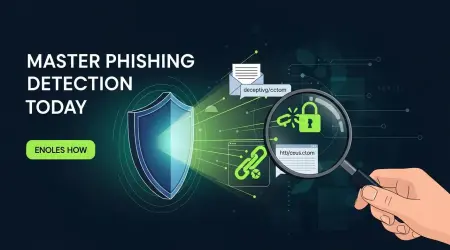
Master Phishing Detection Today
Phishing is a social-engineering attack where fraudsters send deceptive emails to steal credentials, deliver malware, or coerce unsafe actions. The faster you spot these messages, the lower the risk. This guide gives you hands‑on detection checks and response steps so you can spot red flags, inspect senders and links, handle risky attachments safely, and contain incidents after a click. Phishing remains a major threat in 2024 — generative AI and new delivery methods make some scams more convincing — but a few reliable verification steps offer immediate protection. Below you’ll find clear warning signs, step‑by‑step sender and URL checks, quick-reference tables of common indicators, and modern heuristics for AI-generated, QR-based, and deepfake-enabled attacks. Read on to learn a repeatable triage and reporting process so you can investigate suspicious messages and respond like a security pro.
What Are the Common Signs of a Phishing Email?
Phishing messages usually combine suspicious sender details, mismatched or obscured links, risky attachments, and persuasive language that pushes you to act without verifying. These elements work together: a spoofed display name builds trust while hidden URLs or urgent wording prompt clicks. Spotting these patterns early reduces the chance of credential theft or malware execution and lets you contain the threat quickly. The sections below break down reliable sender signals and URL checks that separate malicious messages from legitimate mail.
Phishing typically appears in repeatable, testable ways you can check right away:
- Suspicious Sender Address: The display name looks official but the actual email domain is different.
- Mismatched Links: The visible link text claims one destination while the hovered URL points somewhere else.
- Unexpected Attachments: Unsolicited files—especially executables or macro-enabled documents—are high risk.
- Generic Greetings: Phrases like “Dear Customer” or no personalization often signal mass phishing.
- Urgency and Threats: Time pressure and scare language try to short‑circuit verification.
- Contextual Oddities: Requests that don’t match your relationship with the sender are suspicious.
- Header Anomalies: Forwarded paths, inconsistent mailer data, or spoofed return paths in headers point to origin problems.
These quick checks give you a short checklist to run whenever a doubtful email arrives. Start with sender and link signals, then use the practical inspection steps that follow.
| Source Component | Red Flag | Immediate Action |
|---|---|---|
| Sender address | Display name differs from the actual domain (look‑alike domains) | Reveal the full address and compare domains; inspect headers if unsure |
| Embedded link | Anchor text and hovered URL don’t match, or point to an IP/shortener | Hover to preview, copy the link into a safe URL scanner — don’t click |
| Attachment | Unsolicited macro-enabled documents or executables | Quarantine the file, scan with antivirus, and confirm the sender by a separate channel |
This table summarizes fast comparisons you can run to triage a suspicious message and decide whether to escalate to security or delete the email.
How to Identify Suspicious Sender Addresses and Domains
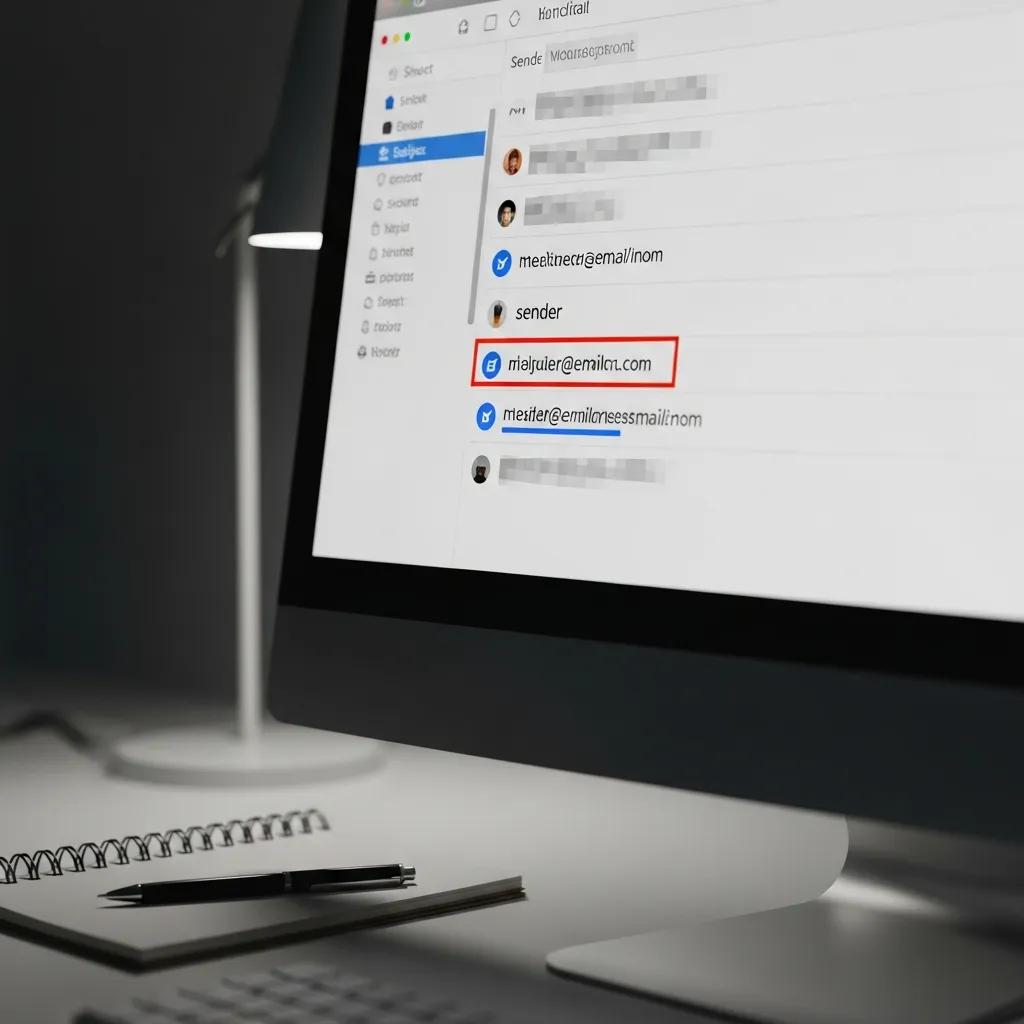
Checking the actual sender address is the quickest way to detect display-name spoofing and domain impersonation. Expand the sender details to see the full email address and watch for subtle substitutions — missing letters, extra hyphens, or swapped characters that mimic well-known domains. Attackers also abuse subdomains (for example, company.example-malicious.com) to hide the real domain, so focus on the registered domain and top‑level domain at the far right. If automated checks are unclear, examine the message headers to trace the Received path and authentication results (SPF/DKIM/DMARC); inconsistent or failed authentication entries strongly suggest fraud. When in doubt, confirm the sender via a separate channel — a phone call or a new message to a known address — before taking action.
What Malicious Links and URLs Should You Watch For?
Malicious links hide their true destination using redirection, URL shorteners, raw IP addresses, or long query strings. Hovering the link to preview the target will often reveal discrepancies. Always compare the visible anchor text with the hovered URL — any mismatch is a reason to stop and verify. Watch for typos that substitute similar characters, extra subdomains, or domains that resolve to raw IP addresses or unfamiliar top‑level domains. If you need to inspect further, copy the link text without clicking and paste it into a URL expander or scanner, or analyze it in an isolated environment. These pre-click checks, combined with sender analysis, give you a reliable verdict before interacting with the link.
How Can You Detect Dangerous Attachments and Files in Emails?
Attachments are a common way to deliver malware because they can contain executables, scripts, or macro-enabled Office files that run code when opened. Treat any unexpected attachment as potentially harmful until you verify it. Check file extensions and beware of double extensions (for example, invoice.pdf.exe) or hidden extensions that exploit OS defaults. Use sandboxing or an online virus scanner to analyze files before opening them, prefer cloud-based viewers that render content without executing embedded code, and confirm with the sender via an independent channel if the attachment is unexpected. Knowing which file types attackers favor helps you prioritize scanning and quarantine decisions.
Quick checklist for handling attachments safely:
- Verify the sender through a known channel before opening unsolicited files.
- Scan the file with an up‑to‑date antivirus engine and, when possible, run it in a sandbox.
- Prefer a protected cloud viewer rather than downloading and executing content locally.
| File Type | Common Malicious Use | Risk / Mitigation |
|---|---|---|
| .exe / .scr / .dll | Direct executable malware installation | High risk — do not open; quarantine and delete |
| .zip / .iso | Compressed payloads that hide executables or scripts | Moderate–high risk — extract in a sandbox and scan |
| .docm / .xlsm | Macro‑enabled Office files used to run automated scripts | High risk — disable macros and preview in a cloud viewer |
| .js / .vbs | Script files that execute code on the system | High risk — block and scan; never run locally |
This table links common malicious file types to their typical uses and practical mitigations you can apply before allowing a file near your device.
Which File Types Are Commonly Used in Phishing Attachments?
Attackers favor file types that can execute code or trick users into enabling dangerous features. Macro‑enabled Office documents (.docm/.xlsm) prompt users to enable macros that then fetch and run payloads; compressed files (.zip/.iso) hide executables inside archives. Script files (.js, .vbs) and shortcuts (.lnk) can launch programs silently, and executables (.exe, .scr) run immediately if opened. Given these risks, verify the attachment’s purpose with the sender, prefer PDFs or plain text when possible, and scan high‑risk extensions in an isolated environment before interacting with them.
How to Safely Handle Unexpected or Unsolicited Attachments

If you receive an unexpected attachment, follow a pause-verify-analyze workflow to reduce risk. First, confirm the sender through an independent channel — don’t reply to the suspicious email. Next, scan the file with reputable antivirus software and, if available, submit it to a sandbox for behavioral analysis. If the attachment is essential but risky, ask the sender to re-share via a secure file-transfer method or provide temporary access through a cloud viewer that blocks code execution. If verification fails or the file behaves maliciously, delete it and report the incident to your security team.
What Role Do Grammar, Spelling, and Urgency Play in Spotting Phishing?
Language cues — poor grammar, odd phrasing, or manufactured urgency — have long been red flags because they often indicate low‑effort scams. However, generative AI has reduced their reliability as sole indicators. Grammar and spelling still matter when they create contextual errors, such as wrong company names or inconsistent terminology, because those reveal automated or careless assembly. Urgency and threats (for example, account suspension or immediate payment demands) exploit psychological pressure to provoke rapid action and bypass verification. Use language signals as one input among many, and combine them with sender, link, and attachment checks to form a robust assessment.
- “Your account will be suspended immediately unless you…”
- “Immediate action required: confirm your password now”
- “You owe an outstanding balance; pay now to avoid penalties”
These phrases should trigger a pause-and-verify response, not immediate compliance. Building a habit of stopping to confirm interrupts attacker workflows and protects credentials.
How to Recognize Grammar and Spelling Errors as Red Flags
Contextual language errors — like wrong product names, incorrect regional details, or odd formalities — are stronger indicators of phishing than isolated typos. Attackers may use templates that insert incorrect placeholders or generate plausible text that nevertheless conflicts with known facts about your account or recent interactions. Because AI can now produce grammatically polished text, give more weight to contextual checks: does the email ask for unusual information, mention transactions you don’t recognize, or reference services you don’t use? Combine language checks with sender and link verification for a defensible conclusion.
Why Do Phishing Emails Use Urgency and Threats?
Phishing leverages behavioral psychology: urgency shortens deliberation and increases compliance, making it easier for attackers to get quick wins. When recipients feel threatened — by account suspension, fines, or missed opportunities — they’re more likely to click links, open attachments, or disclose credentials without verifying. Spot manufactured pressure by looking for improbable deadlines, inconsistent timelines, and attempts to bypass established processes. The right response is to stop, verify through known channels, and refuse to provide credentials or click links until legitimacy is confirmed.
How Does Lack of Personalization Indicate a Phishing Attempt?
Messages that lack personalization often signal mass phishing because attackers send the same template to many recipients and therefore omit specific account details. Generic greetings like “Dear Customer” or missing transaction identifiers are quick cues that the message might not be tailored to you. That said, some legitimate system emails are also generic, so absence of personalization should prompt further checks rather than immediate dismissal. Conversely, highly targeted spear‑phishing can use real personal details to increase credibility, so always evaluate personalization alongside sender and link signals before trusting a message.
Compare these levels of personalization to evaluate risk:
- Generic: “Dear Customer” — typical of bulk campaigns without account details.
- Semi‑personalized: Partial identifiers included but no secure tokens.
- Personalized: Mentions exact account numbers or past transactions — stronger, but still needs verification.
Personalization alone doesn’t prove legitimacy; attackers can harvest data to craft convincing spear‑phishing messages. Always confirm via a separate channel.
What Are Examples of Generic vs. Personalized Email Greetings?
Generic greetings like “Dear Customer” or “Hello user” suggest a bulk message that could be phishing. Personalized greetings that include your full name, the last four digits of an account, or a recent invoice number are more credible but still warrant validation. For example, a bank notice that contains the last four digits of your account is a stronger signal than a generic finance alert — but if the sender domain fails authentication or the link points elsewhere, the message is still suspicious regardless of personalization.
How Does Social Engineering Exploit Personal Information Requests?
Attackers use gradual social engineering: they start with small, harmless messages to build trust, then escalate to requests for credentials, payments, or multi‑factor authentication codes. Initial messages may ask for confirmation of non‑sensitive details to lower suspicion before requesting sensitive data. Legitimate organizations rarely ask for full passwords or MFA codes by email; treat any such request as fraudulent. When unsure, refuse to provide credentials and validate the request through established, secure channels to prevent staged credential harvesting and account takeover.
What Are Advanced Phishing Techniques to Watch For in 2024?
Advanced phishing techniques in 2024 include AI‑generated messages that mimic real writing, QR‑code phishing (quishing) that directs users straight to malicious sites, and deepfake‑enabled attacks that use audio or video to impersonate trusted people. These tactics increase plausibility and reduce traditional linguistic indicators, so rely more on contextual verification, email authentication (SPF/DKIM/DMARC), and layered defenses like multi‑factor authentication. Knowing these vectors helps you adopt specific heuristics that detect plausibility gaps and technical anomalies.
- AI‑Generated Phishing: Attackers use generative models to produce fluent, personalized messages that evade grammar‑based filters.
- Quishing (QR Code Phishing): Scannable codes placed physically or in images resolve to credential‑harvesting sites.
- Deepfake‑Enabled Phishing: Audio or video impersonations of executives or partners request payments or credential resets.
These advanced vectors demand updated detection heuristics and procedures that pair human skepticism with technical controls.
How Is AI Making Phishing Emails More Sophisticated?
Generative AI lets attackers craft messages with accurate tone, correct grammar, and even mimic known contacts, reducing the effectiveness of language‑based filters. AI can pull context from public sources to generate convincing spear‑phishing content, increasing the chance of compromise. To spot AI‑created messages, look for contextual oddities — requests that are out of character, timing mismatches, or unfamiliar channels — and pair those signals with technical checks like domain authentication and link analysis. Defenses include enforcing email authentication protocols, training users to verify unexpected requests, and integrating threat intelligence to detect large‑scale use of AI templates.
Rising use of AI in phishing attacks demands layered detection methods and an understanding of human vulnerabilities.
AI-Generated Phishing Emails: Detection Frameworks and Human Vulnerabilities
Large Language Models add powerful capabilities but also create new cybersecurity risks by enabling highly realistic phishing messages. Detecting this content can be resource intensive and slow to adapt. This research proposes a layered detection approach that pairs supervised classifiers for precise identification with unsupervised methods to surface novel threats. In tests, the combined framework performs well. The authors also emphasize that humans remain a key vulnerability and examine common psychological tactics used in phishing. They explore watermarking as a complementary traceability option. Together, these strategies offer a scalable defense against sophisticated, AI‑driven phishing campaigns.
Machine learning and watermarking for accurate detection of AI generated phishing emails., J Wall, 2025
What Are New Phishing Vectors Like QR Code Phishing and Deepfake Emails?
QR‑code phishing — quishing — uses scannable codes that send people to fake login pages or malware downloads. Because scanning happens away from the desktop, users skip hover checks and land directly on malicious sites. Deepfake phishing delivers realistic audio or video to impersonate leaders and pressure recipients into urgent transfers or sensitive actions. Defenses include previewing QR destinations with a trusted scanner before following them, verifying payment or transfer requests through known channels, and treating unsolicited multimedia with caution — confirm origin via a separate communication path. These vectors make multi‑factor authentication and verified payment procedures even more critical.
What Should You Do If You Suspect a Phishing Email?
If you suspect phishing, follow a prioritized verification and containment checklist: don’t click links or open attachments, verify the sender through an independent channel, preserve evidence, and report to your security team or the proper authorities. Immediate containment reduces the blast radius: isolate affected devices, change exposed passwords, and run malware scans to find and remove persistent threats. Reporting helps defenders spot wider campaigns and protects others; include headers, screenshots, and the raw email source when you can. The table below maps actions to expected outcomes so you can act clearly under time pressure.
| Action | When to Use | Expected Outcome |
|---|---|---|
| Do not click links or open attachments | Any suspicious email | Prevents pre‑click compromise |
| Verify sender via separate channel | When sender identity is unclear | Confirms legitimacy without replying to the attacker |
| Report to security/authorities | If phishing or compromise is suspected | Enables containment and broader threat detection |
| Change passwords and enable MFA | After suspected credential exposure | Reduces account takeover risk and lateral movement |
This prioritized checklist clarifies immediate actions and their intended effects so you can act decisively when an incident appears.
How to Verify Suspicious Emails Before Taking Action
Start verification with the sender and link checks: expand the sender address, hover links to reveal targets, and view message headers to trace origin and authentication results. Use independent channels — known phone numbers or internal directories — to confirm unexpected requests, and copy suspicious URLs into safe scanners rather than clicking them. If you have technical tools, submit the message to a sandbox or malware analysis service to observe any payload. Preserve the email source and attachments as evidence if the case escalates, and escalate to IT or security when verification confirms malicious intent.
What Are the Best Practices for Reporting and Responding to Phishing?
Make reports structured and complete: include the original message, full headers, screenshots, and any copied URLs so security teams can analyze and contain threats quickly. Internally, notify your helpdesk or security operations center and follow your organization’s incident response playbook — typically isolating affected systems, resetting compromised credentials, and running forensic scans. Externally, report incidents to industry or government bodies when appropriate, and preserve evidence until instructed otherwise. These steps limit damage, support recovery, and feed threat intelligence that protects the wider community.
- Preserve the email and evidence: Save headers, attachments, and screenshots for analysis.
- Notify your security team immediately: Prompt escalation enables containment and forensic work.
- Remediate exposed accounts: Reset passwords and enforce multi‑factor authentication on affected accounts.
Following these reporting and remediation steps turns detection into decisive action. Practice them regularly to reduce response time and impact when real incidents occur.
Many researchers, especially early‑career scholars, struggle to tell deceptive journal solicitations from legitimate communications — underscoring the need for clear, practical indicators.
Twenty Indicators for Identifying Predatory Journal Phishing Emails
Predatory publishing often uses phishing‑style emails that are hard to distinguish from legitimate journal outreach. Despite growing awareness, the definition of a predatory or deceptive solicitation can be fuzzy, leaving some researchers uncertain. This article lists twenty specific indicators, illustrated with real examples, to help researchers identify and avoid predatory journal emails. It highlights misleading cues used to appear credible — such as claiming indexing or offering free publication — and stresses a comprehensive, self‑checking approach when evaluating journal invitations.
Twenty Red Flags To Spot Phishing Emails from Predatory Journals, S Eltaybani, 2026
Frequently Asked Questions
What are the latest phishing techniques to be aware of in 2024?
In 2024, phishing techniques have evolved significantly, incorporating advanced methods such as AI-generated emails that mimic real writing styles, QR-code phishing (quishing) that directs users to malicious sites, and deepfake technology that impersonates trusted individuals through audio or video. These tactics make phishing attempts more convincing and harder to detect. To combat these threats, it's essential to employ layered defenses, including email authentication protocols and multi-factor authentication, while remaining vigilant about contextual verification and unusual requests.
How can I protect myself from QR code phishing?
To protect yourself from QR code phishing, always preview the destination of a QR code using a trusted scanner before scanning it. Be cautious of QR codes in unsolicited emails or physical locations, as they may lead to malicious sites. Additionally, verify any requests for sensitive information or payments through known channels rather than relying solely on the QR code. Implementing multi-factor authentication on your accounts can also provide an extra layer of security against potential threats.
What should I do if I receive a suspicious email from a known contact?
If you receive a suspicious email from a known contact, do not click any links or open attachments. Instead, verify the email's authenticity by contacting the person through a different communication method, such as a phone call or a new message. This helps confirm whether their account has been compromised. If the email is indeed fraudulent, report it to your IT or security team and advise your contact to change their password and enable multi-factor authentication for added security.
How can I identify advanced phishing attempts that use AI?
To identify advanced phishing attempts that utilize AI, look for contextual oddities in the message, such as unusual requests or discrepancies in the sender's tone. AI-generated messages may appear polished but can still contain subtle errors or ask for information that seems out of character for the sender. Always verify unexpected requests through established channels and employ technical checks like domain authentication and link analysis to assess the legitimacy of the email.
What are the best practices for responding to a phishing incident?
When responding to a phishing incident, follow a structured approach: first, do not click any links or open attachments. Verify the sender's identity through a separate channel and preserve evidence, such as the email headers and screenshots. Report the incident to your security team or relevant authorities, and take immediate actions like changing passwords and enabling multi-factor authentication on affected accounts. Regularly practicing these steps can help minimize damage and improve response times in future incidents.
How can I differentiate between legitimate and predatory journal emails?
To differentiate between legitimate and predatory journal emails, look for specific indicators such as the quality of the language used, the presence of clear indexing claims, and the journal's reputation. Legitimate journals typically have a transparent review process and provide clear contact information. In contrast, predatory journals often use vague language, lack proper indexing, and may pressure authors with unrealistic promises. Always research the journal's credibility before engaging with their communications.
What should I do if I accidentally clicked a link in a phishing email?
If you clicked a suspicious link, disconnect from the internet if possible to limit data flow. Immediately change passwords for any accounts that might be affected, especially if you entered credentials after clicking. Run a full antivirus and anti‑malware scan on the device and monitor accounts for unauthorized activity. Notify your IT or security team so they can investigate and take containment steps to protect others.
How can I educate my team about phishing threats?
Train your team regularly on the latest phishing tactics and practical detection techniques. Use realistic examples and simulated phishing exercises to test awareness and reinforce good habits. Provide clear checklists and reporting steps, and encourage a culture where people report suspicious emails without blame. Regular refreshers and hands‑on practice build the muscle memory needed to stop attacks.
Are there any tools to help detect phishing emails?
Yes. Email security solutions offer spam filtering, link scanning, and attachment analysis to catch many threats. Browser extensions can warn about suspicious sites, and URL scanners or sandboxes let you inspect links and files safely. Multi‑factor authentication (MFA) adds another strong layer of protection even if credentials are exposed. Keep security tools and software up to date to stay ahead of evolving tactics.
What are the legal implications of phishing attacks?
Phishing is a crime for attackers and can carry serious penalties, including fines and imprisonment. Victims and organizations affected by data breaches may face legal and regulatory consequences under laws like GDPR or HIPAA, and organizations that fail to protect data could be liable for negligence. Strong cybersecurity measures, incident response planning, and regulatory compliance reduce legal risk and help demonstrate due diligence.
How can I report a phishing email?
Do not click links or open attachments. Preserve the email by saving it or taking screenshots. Report it to your email provider (many offer a “report phishing” feature) and inform your organization’s IT or security team. In the U.S., you can forward phishing messages to established reporting addresses such as [email protected]. Include as much detail as possible — sender address, headers, and any links — to help authorities take action.
What is the difference between phishing and spear-phishing?
Phishing broadly targets many recipients with the same fraudulent message, aiming for volume. Spear‑phishing is targeted: attackers craft messages for a specific person or organization, often using personal information to increase credibility. Because spear‑phishing is tailored, it’s usually more convincing and more dangerous, so evaluate messages carefully even when they appear personalized.
Conclusion
Learning to spot phishing is one of the most effective ways to protect personal and organizational data. By focusing on key indicators — suspicious sender addresses, mismatched links, and unexpected attachments — and following the verification and containment steps in this guide, you’ll reduce risk and respond more confidently. Start applying these checks today and build habits that keep your inbox and organization safer.